
Injectables clinic software built around the next appointment
Injectables are a repeat treatment, so the next booking matters as much as the first. Workee puts booking on your own website, takes deposits, and has Jenny follow up after each visit to rebook, by text and email. It runs alongside the system you already use.
Get a Demo





In short: Workee gives injectables clinics booking on their own website, deposits and no-show fees, and Jenny, an AI front desk that follows up after every visit to book the next appointment and wins back clients who have gone quiet. Charts and face maps stay in your charting system.
Updated
What Workee handles for you

Rebooking after every visit
Jenny follows up after each visit to book the next one, and wins back clients who have gone quiet, by text and email, in your clinic’s name.

Booking on your website
Clients book from your own site in a few steps, with no account to create.

Deposits and no-show fees
Take a deposit at booking, keep the card on file, and charge a no-show fee when a slot goes empty.

New enquiries, qualified
Lead forms on your website, where Jenny answers questions, qualifies each new lead and books a time.

Reviews, offers and campaigns
Email and SMS campaigns, Google review requests, holiday offers and a weekly report on what Jenny did.
What it looks like in Workee
Jenny brings clients back for the next treatment
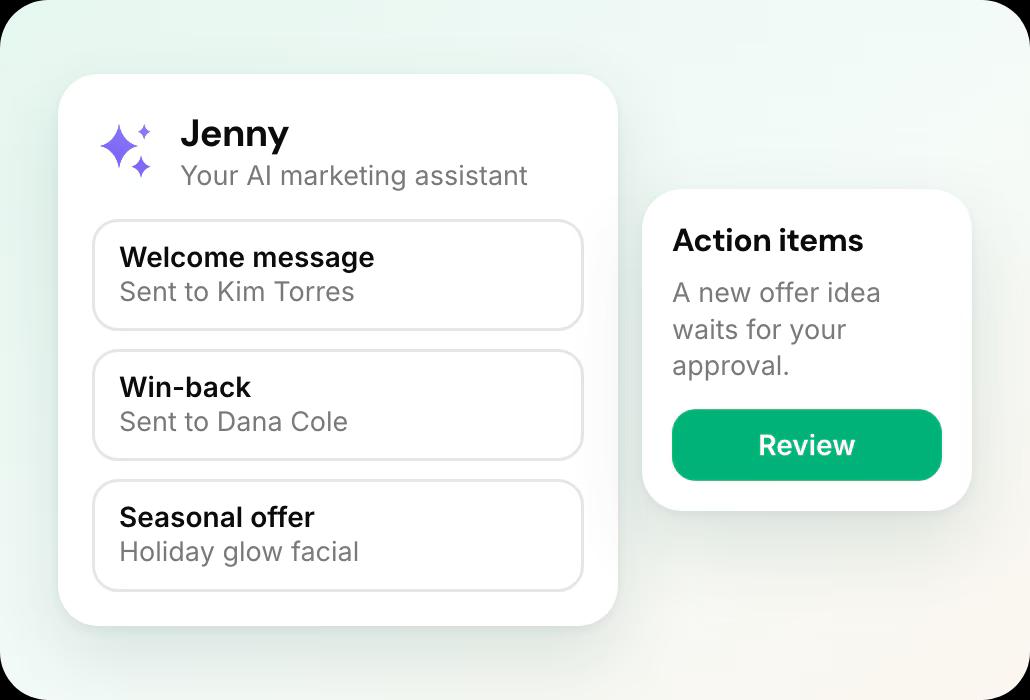
Follow-ups, win-backs and seasonal offers show on the Marketing dashboard, and new offer ideas wait in Action Items for your approval.
 Jenny confirms bookings, rebooks after visits and wins back quiet clients by text and email
- Email and SMS campaigns, Google review requests and holiday offers
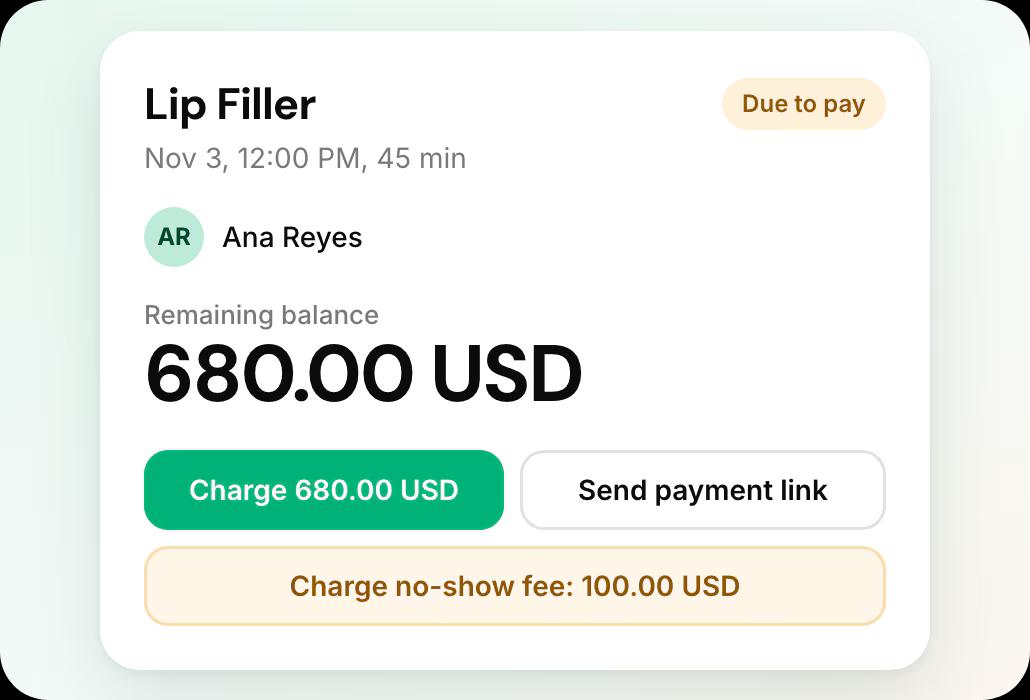
No-show fees from the appointment screen
Take a deposit at booking, keep the card on file, and charge the no-show fee from the appointment if a slot goes empty.
- Deposits, no-show fees and cards on file
What Workee does not do
Said plainly, so you know what stays in your current system.
No charting
Workee does not keep injection charts, face maps or clinical records. Those stay in your charting system.
No prescribing
Workee has no ePrescribe. Prescribing stays in the system you use for it today.
Getting started in four steps
- 1
Bring your client list
Workee imports your client list from a spreadsheet.
- 2
Put booking on your website
Add the Workee booking widget to the site you already have.
- 3
Set deposits and no-show fees
Choose which services take a deposit and when a no-show fee applies.
- 4
Switch on Jenny
Turn on the follow-ups you want; Jenny sends them by text and email in your practice’s name.
Compare before you decide
Workee for plastic surgery practices
Consult booking, deposits, lead forms and follow-up for surgical practices.
Best med spa software
Seven platforms compared on what each vendor publishes.
Jenny for Instagram
New in November 2026: DMs, comments and posting answered for you.
Alternatives by platform
The options to each platform, and when to stay.
Workee vs each platform
Side-by-side comparisons with every price cited.
Data export guides
What each platform lets you take with you.
Injectables Clinic Software: common questions
- Can Workee bring clients back when they are due again?
 Yes. After each visit Jenny follows up by text and email to book the next appointment, and a separate win-back runs for clients who have not visited in a while.
- Does Workee replace Aesthetic Record or my charting system?No. Workee handles booking, payments and follow-up; charts, face maps and clinical records stay in your charting system.
- Can I take deposits for injectables appointments?Yes. Workee takes deposits at booking, keeps the card on file, and lets you charge a no-show fee from your account.
- Can I keep my current system?Yes. Workee takes bookings on your own website and passes them to the calendar you already run, and Jenny follows up with clients by text and email, so your current system keeps handling the rest. If you later move fully, Workee has its own calendar, payments and client records, and imports your client list from a spreadsheet.

