
Pabau review pricing, strengths and limits for med spas
Pabau is a full clinic system, with EMR, prescriptions, consent, inventory and payroll on every plan. Plans differ only by user count and are priced per location, and the pricing page quotes every one on a demo. This review sticks to what Pabau publishes.1
Get a Demo
Pabau at a glance
Pabau is a clinic management system priced by seat, with most costs unpublished. Every figure here is quoted from Pabau’s own pricing page, accessed 18 October 2026.
- Entry price
- Not published. The pricing page shows no price for any plan
- Contract terms
- "No commitment", based on team size; no term length published
- Card processing rate
- Not published
- ePrescribe
- Prescriptions, repeat prescriptions and lab requests included; no separate price published

Workee adds booking on your own website and Jenny, an AI front desk that confirms each booking, follows up after visits to rebook, recovers abandoned bookings and wins back clients who have gone quiet, by text and email. Pabau keeps running the rest. Workee vs Pabau
What Pabau publishes about its pricing
Every row is quoted from Pabau’s own pricing page, accessed 18 October 2026. “Not published” means Pabau does not say.
| Item | Pabau |
|---|---|
| Entry price | Not published. The pricing page shows no price for any plan |
| Tiers | Solo (1 user), Team (2-3), Medium (4-5), Group (6-15), Enterprise (16+) |
| Tier pricing | Not published for any tier. Demo required |
| Billing unit | Per location, except Enterprise, which covers multiple sites |
| Feature gating | None. Plans differ only by user count, not by features |
| Annual discount | Up to 20% versus monthly |
| Digital forms and charting | Included in every plan |
| ePrescribe | Prescriptions, repeat prescriptions and lab requests included; no separate price published |
| Add-ons | Marketing Plus, Care Plus, Insights Plus and Engage Plus; prices not published |
| SMS | Two-way SMS included; SMS pricing not published |
| Card processing rate | Not published |
| Contract terms | "No commitment", based on team size; no term length published |
Pabau: strengths and limits
Where Pabau is strong
 You need real clinical depth in an aesthetics shape
EMR and structured clinical notes, prescriptions, lab requests and results, digital consent, and before-and-after photo comparison. This is the toolkit an injectables or dermatology clinic needs to chart defensibly.
- You want one system that runs the whole clinic
Scheduling, EMR, forms, payments, inventory and stock, staff rosters, commissions and timesheets all in one product - so stock consumed per treatment and commission per service live with the appointment.
- You are small but still need clinical records
Every plan includes the full platform. A one-person clinic is not feature-gated out of clinical records the way tiered competitors do it; you pay for seats, not capability.
Where Pabau falls short
 No plan price on the page
Solo, Team, Medium, Group and Enterprise are listed by user count, and every one is quoted on a demo.
- Add-ons are priced separately
Marketing Plus, Care Plus, Insights Plus and Engage Plus are sold on top of the plan, with no prices on the pricing page. SMS pricing and the card rate are not published either.
- Each location is priced on its own
Pricing applies per location on every plan except Enterprise, which covers multiple sites.
Running Pabau? What Workee adds
Workee runs alongside Pabau. These are screens from the Workee app.
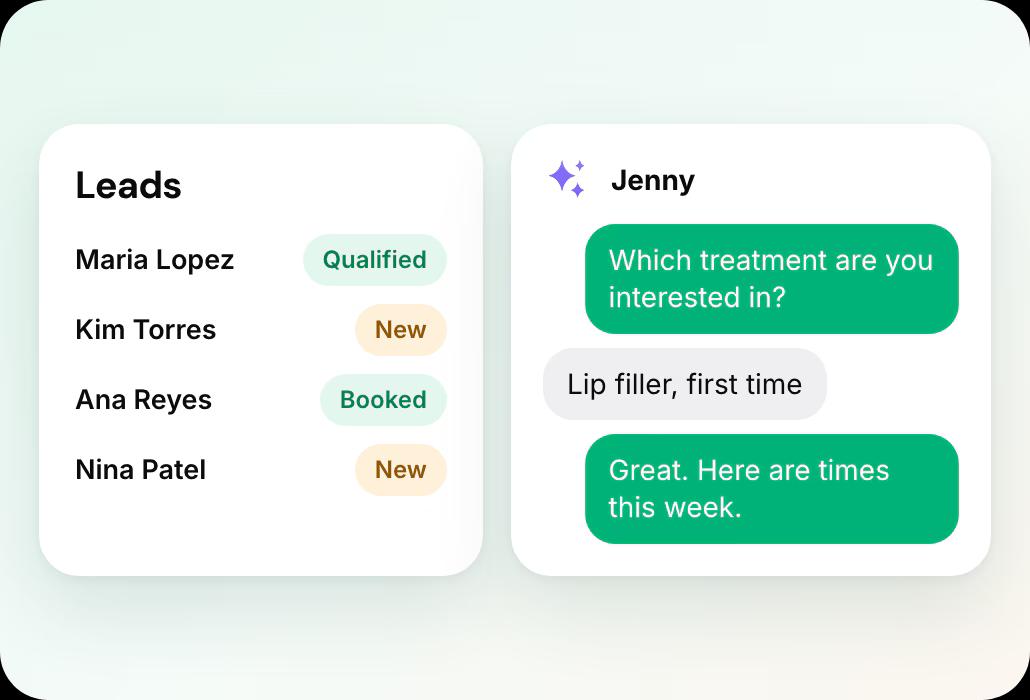
Jenny answers and qualifies new enquiries
A lead fills in a form on your website, Jenny asks your qualifying questions in chat and books a time.
- Lead forms where Jenny answers questions, qualifies and books new leads
- Booking on your own website, no client account
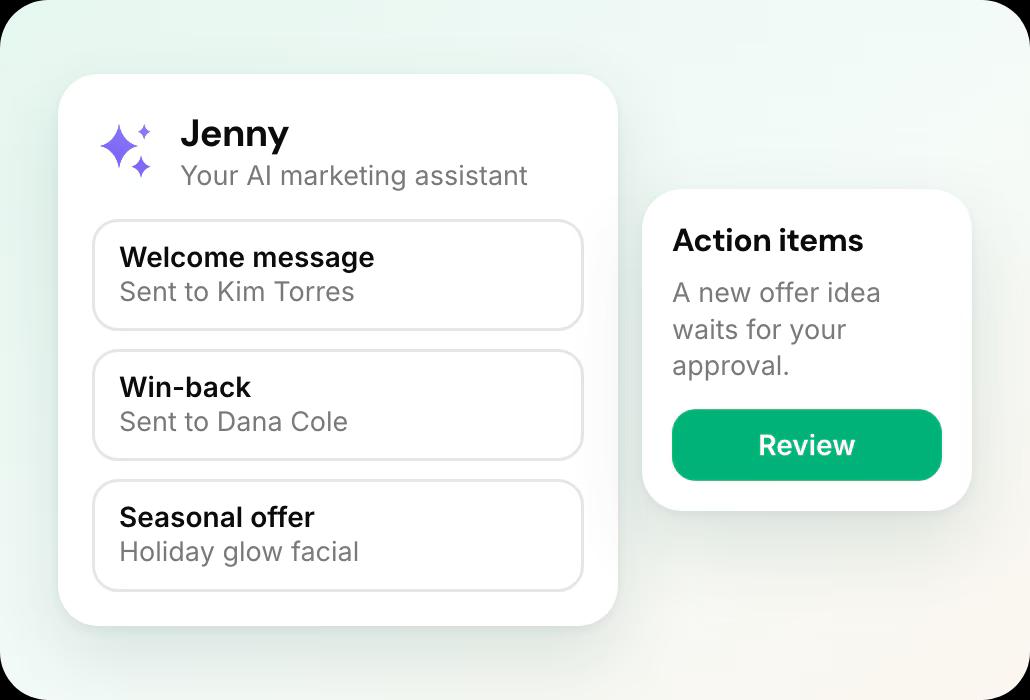
Jenny brings clients back
Welcome messages, rebooking and win-backs show on the Marketing dashboard, and new offer ideas wait in Action Items for your approval.
- Jenny confirms bookings, rebooks after visits and wins back quiet clients by text and email
- Email and SMS campaigns, Google review requests and holiday offers
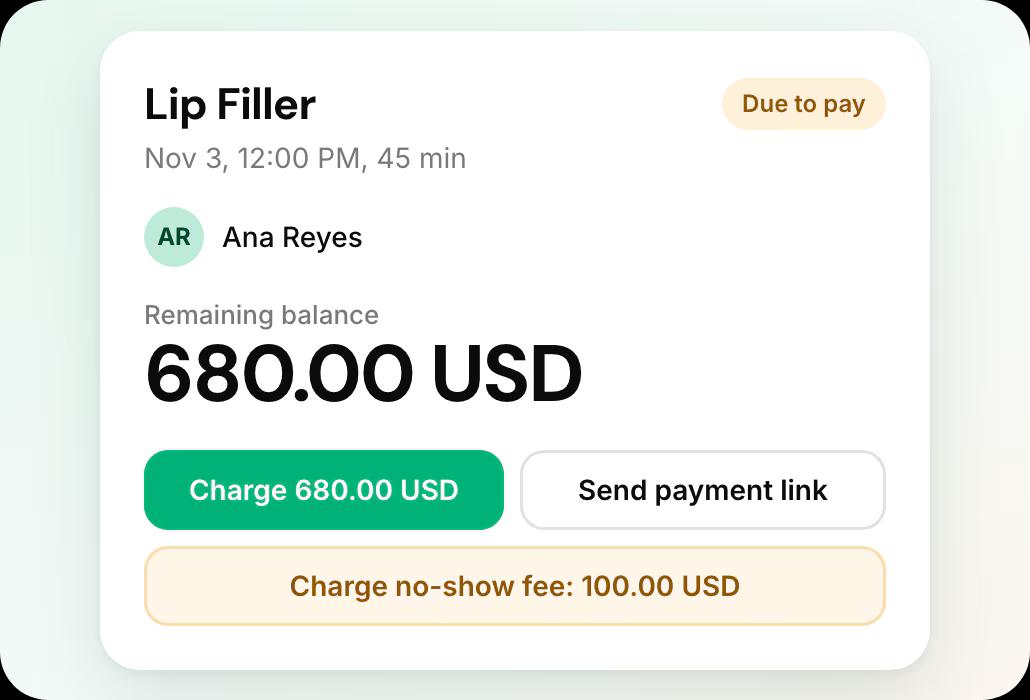
Deposits and no-show fees on every appointment
Each appointment shows what was paid, and the card on file lets you charge a no-show fee or send a payment link.
- Deposits, no-show fees and cards on file
Leaving Pabau what it involves
From Pabau’s own help documentation, accessed 19 October 2026.
Your client list
Clients, appointments and invoices export from Analytics > Reports as XLS or CSV. Medical forms, notes and photos download one client at a time.
Records and retention
A managed full export costs £450 plus VAT, or is free with 30 days’ written notice to cancel. Data is deleted 90 days after the account is marked inactive.
The full export guide
Every step, in order, with sources.
Compare Pabau further
Pabau review: common questions
- Is Pabau good for med spas?
 It fits a clinic that wants one system for the clinical record, prescribing, stock and staff, with every feature on every plan. Plan to price it on a call: plan prices, add-on prices, SMS pricing and the card rate are not on its pricing page.
- How much does Pabau cost?Pabau does not publish a price. Its pricing page lists five plans by user count, from Solo (one user) to Enterprise (16+), each with full platform access, and every one routes to a demo. Annual billing saves up to 20%, and pricing applies per location except on Enterprise.
- Is Pabau overkill for a small studio?For a non-clinical business, yes. A solo massage therapist or nail tech pays for an EMR, consent, prescribing and inventory stack they will never open. The value is entirely in the clinical layer.
- What contract does Pabau use?Its Terms of Use set monthly plans as a 30-day rolling contract with 30 days’ notice. Prepaid 12, 24 or 36-month terms carry a discount and renew automatically unless cancelled in writing 30 days before they end, and prepaid fees are non-refundable once the 30-day money-back guarantee ends.
- How do I reach Pabau support?The Support Center lists chat, phone and WhatsApp support 24 hours a day, with a US number, +1 (507) 704-4700. A dedicated account manager is a separate upgrade.
- Can I keep Pabau and add Workee?Yes. Workee takes bookings on your own website and passes them to the calendar you already run, and Jenny follows up with clients by text and email, so Pabau keeps handling the rest. If you later move fully, Workee has its own calendar, payments and client records, and imports your client list from a spreadsheet.

Running Pabau today?
See what Workee adds to it.
Sources
- Pabau pricing page. Accessed 18 October 2026.
- Pabau — Manage Data Export. Accessed 19 October 2026.
- Pabau Terms of Use. Accessed 19 October 2026.
- Pabau Support Center. Accessed 19 October 2026.
