
Boulevard review pricing, strengths and limits for med spas
Boulevard is a premium front-of-house platform for multi-service spas, priced per location from $143 a month billed annually ($159 monthly) for up to five professionals, with forms as an add-on and ePrescribe at $45 per prescriber. This review sticks to what Boulevard publishes.1
Get a Demo
What Boulevard publishes about its pricing
Every row is quoted from Boulevard’s own pricing page, accessed 18 October 2026. “Not published” means Boulevard does not say.
| Item | Boulevard |
|---|---|
| Entry price | Essentials - $143/mo billed annually, $159 monthly; one location |
| Mid tier | Premier - $234/mo per location billed annually, $260 monthly (normally $293 / $325) |
| Top published tier | Prestige - $328/mo per location billed annually, $364 monthly (normally $410 / $455) |
| Medspa line | Aesthetics Essentials $179, Premier $328, Prestige $374 per month billed annually ($199 / $364 / $416 monthly) |
| Promotional pricing | Premier and Prestige prices are a limited-time fall offer for new customers |
| Enterprise | Not published; requires a consultation |
| Providers at entry price | Up to 5 (3 on Aesthetics Essentials); unlimited from Premier up |
| Digital forms | Add-on from $65/mo per location; included in Prestige and every medspa tier |
| ePrescribe | $45 per prescriber, unlimited support staff |
| Accounting integration | QuickBooks $45/mo per location |
| SMS included | 250 / 250 / 2,500 texts by tier; usage billed beyond |
| Email included | 1,000 / 1,000 / 10,000 blasts; $0.01 per email beyond |
| Card processing rate | Starting at 2.65%; 1% with Boulevard Offset, where clients pay a 3% fee |
| Contract terms | Not published |
Where Boulevard is strong
Your front desk is the bottleneck, not your calendar
Boulevard is built around the front-of-house shift: check-in, checkout, tipping, staff assignment and the till. If a busy Saturday overwhelms the desk rather than the calendar having gaps, that is the problem Boulevard was designed for.
You need ePrescribe in the same system
Boulevard charges $45 per prescriber with unlimited support staff. Workee does not offer prescribing at all. For a practice with prescribing medical directors who want one login, that is decisive.
You run a large multi-service floor
Unlimited professionals from Premier up, priced per location, suits a spa running many providers across many service categories at once.
Where Boulevard falls short
Per-location pricing climbs by tier
Billed annually, Essentials is $143/mo for one location with up to five providers; unlimited providers start at Premier, $234/mo per location, and Prestige is $328/mo per location. Monthly billing is $159, $260 and $364. A second location pays again.
Key pieces are priced separately
Digital forms are an add-on from $65/mo per location (included in Prestige), the QuickBooks integration is $45/mo per location and ePrescribe is $45 per prescriber.
Some costs are not on the page
Boulevard’s pricing page gives a card rate only as “starting at 2.65%” and does not publish its contract terms, and enterprise pricing requires a consultation. Ask for your exact rate and the terms in writing before you compare.
Running Boulevard? What Workee adds
Workee runs alongside Boulevard. These are screens from the Workee app.
Jenny answers and qualifies new enquiries
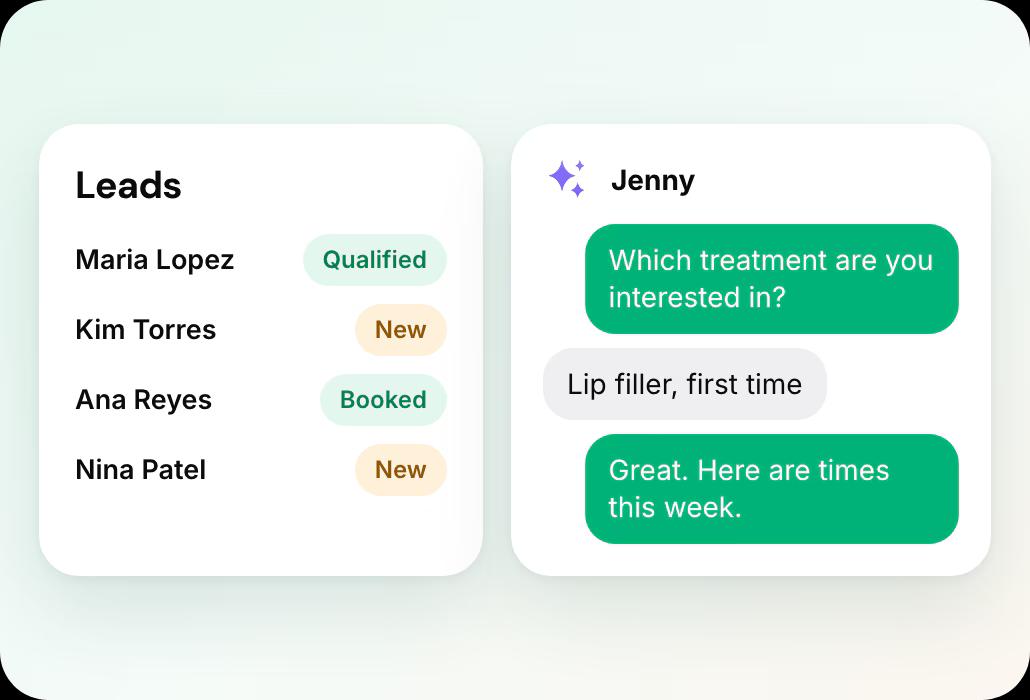
A lead fills in a form on your website, Jenny asks your qualifying questions in chat and books a time.
 Lead forms where Jenny answers questions, qualifies and books new leads
- Booking on your own website, no client account
Jenny brings clients back
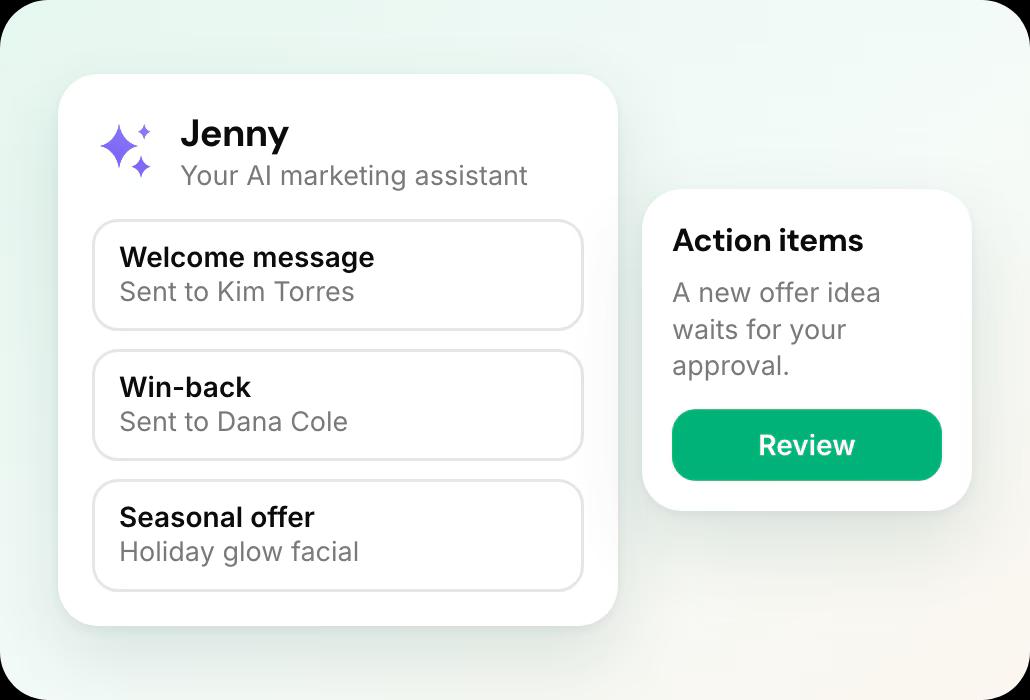
Welcome messages, rebooking and win-backs show on the Marketing dashboard, and new offer ideas wait in Action Items for your approval.
- Jenny confirms bookings, rebooks after visits and wins back quiet clients by text and email
- Email and SMS campaigns, Google review requests and holiday offers
Deposits and no-show fees on every appointment
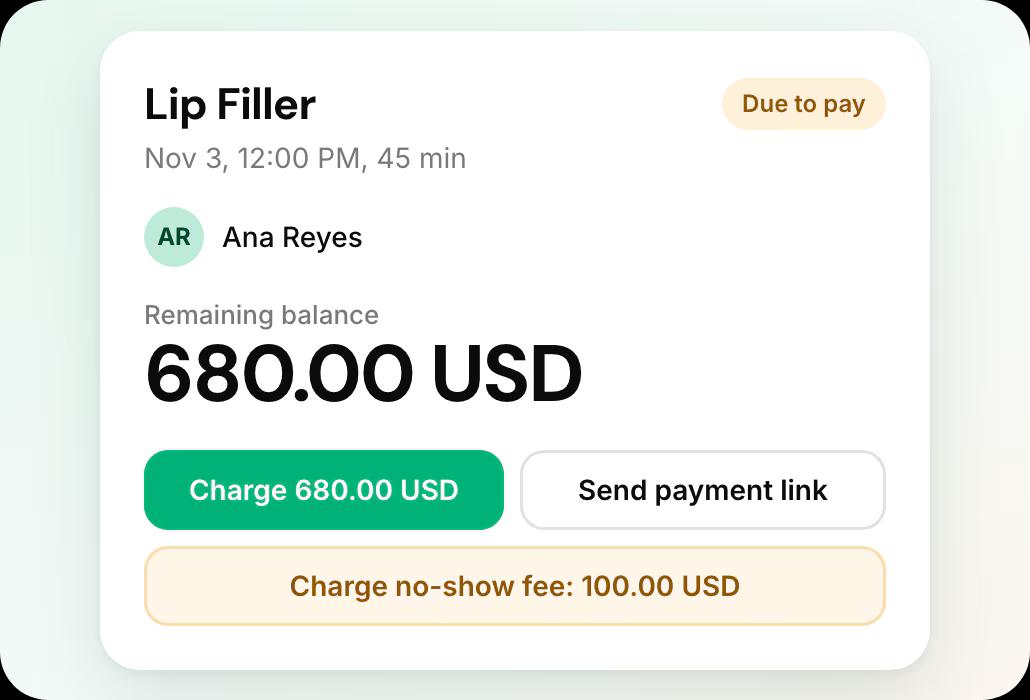
Each appointment shows what was paid, and the card on file lets you charge a no-show fee or send a payment link.
- Deposits, no-show fees and cards on file
Leaving Boulevard what it involves
From Boulevard’s own help documentation, accessed 18 October 2026.
Your client list
The full client list comes from the Client Records report (CSV or Excel); the Clients-tab quick export holds only name, mobile and email.
Records and retention
Notes, forms, charts and photos are saved one client at a time. Retention after cancellation is not published.
The full export guide
Every step, in order, with sources.
Compare Boulevard further
Workee vs Boulevard
How Workee runs alongside Boulevard, or replaces it.
Boulevard alternatives
The platforms med spas weigh against Boulevard.
Boulevard vs Zenoti
The two side by side, from each vendor’s own pricing page.
Mangomint vs Boulevard
The two side by side, from each vendor’s own pricing page.
Boulevard vs Vagaro
The two side by side, from each vendor’s own pricing page.
Boulevard review: common questions
- Is Boulevard good for med spas?
 It suits a busy multi-service spa whose front desk is the bottleneck, or a practice that wants ePrescribe in the same system. A small spa starts on Essentials at $143 a month billed annually and adds forms from $65 a month unless it moves up to Prestige. A med spa can start on the medspa line instead, from $179 a month billed annually with forms and charting included.
- How much does Boulevard cost per month?Billed annually, Essentials is $143 a month for one location with up to five professionals, Premier is $234 per location and Prestige is $328, with an unpriced Enterprise tier. Billed monthly, they are $159, $260 and $364. Premier and Prestige are a limited-time offer against normal prices of $293 and $410 (annual). A separate medspa line starts at $179 a month billed annually.
- Does Boulevard charge extra for forms?On the salon and spa plans, yes: a Forms add-on starts at $65 per month per location, and is included in Prestige. The medspa tiers include forms and charting. Practices needing digital intake and consent should add the add-on to the Essentials and Premier prices when comparing.
- Does Workee do ePrescribe?No. Workee has no prescribing feature. Boulevard offers ePrescribe at $45 per prescriber with unlimited support staff. If prescribing inside your booking platform is a requirement, Boulevard is the better fit.
- Can I keep Boulevard and add Workee?Yes. Workee takes bookings on your own website and passes them to the calendar you already run, and Jenny follows up with clients by text and email, so Boulevard keeps handling the rest. If you later move fully, Workee has its own calendar, payments and client records, and imports your client list from a spreadsheet.

Running Boulevard today?
See what Workee adds to it.
Sources
- Boulevard pricing page. Accessed 18 October 2026.
- Boulevard — Exporting & Backing Up Your Data from Boulevard. Accessed 18 October 2026.
