
Square Appointments review pricing, strengths and limits for med spas
Square Appointments is free for one location, then $49 or $149 a month per location. Card rates fall on higher plans for in-person payments but stay at 3.5% + 15c for keyed and stored cards, and there is no charting or clinical layer. This review sticks to what Square publishes.1
Get a Demo
Square Appointments at a glance
Square Appointments is a free-tier booking and POS product with no clinical layer. Every figure here is quoted from Square Appointments’s own pricing page, accessed 18 October 2026.
- Contract terms
- No long-term contract, cancel or switch any time, no setup fee
- ePrescribe
- Not offered

Workee adds booking on your own website and Jenny, an AI front desk that confirms each booking, follows up after visits to rebook, recovers abandoned bookings and wins back clients who have gone quiet, by text and email. Square Appointments keeps running the rest. Workee vs Square Appointments
What Square Appointments publishes about its pricing
Every row is quoted from Square Appointments’s own pricing page, accessed 18 October 2026. “Not published” means Square Appointments does not say.
| Item | Square Appointments |
|---|---|
| Free tier | Square Free - $0/mo per location, unlimited staff calendars, single location |
| Mid tier | Square Plus - $49/mo per location |
| Top tier | Square Premium - $149/mo per location |
| Enterprise | Square Pro - custom, aimed above $250k/yr processing volume |
| Staff cap | None. Unlimited staff accounts even on the free plan |
| Digital forms and charting | Not offered. No EMR, charting or clinical records |
| ePrescribe | Not offered |
| SMS | 500 texts on Plus then 3c each; 2,500 on Premium then 1.5c each |
| Payroll add-on | $35/mo + $6 per person paid |
| Card processing - in person | 2.6% + 15c free, 2.5% + 15c Plus, 2.4% + 15c Premium |
| Card processing - online | 3.3% + 30c free, 2.9% + 30c on Plus and Premium |
| Card processing - keyed / card on file | 3.5% + 15c on every tier |
| Contract terms | No long-term contract, cancel or switch any time, no setup fee |
Square Appointments: strengths and limits
Where Square Appointments is strong
 You are not a clinical practice and budget is the constraint
A single-location business gets an online booking site, unlimited staff calendars and appointment reminders for nothing. Very few competitors give away that much.
- You want booking and payments to be one ledger
The calendar, the card reader, the deposit, the no-show charge and the receipt sit in one system. No reconciliation step between a scheduler and a separate merchant account, and no separate processor contract.
- You want to price it without talking to anyone
Published rates, a 30-day trial on paid tiers, cancel any time, no setup fee.
Where Square Appointments falls short
 Stored-card charges keep the top rate
Keyed and card-on-file payments are 3.5% + 15c on every plan, so deposits and no-show fees charged to a saved card keep that rate when you upgrade.
- No clinical layer
Square publishes no EMR, charting, clinical records or ePrescribe. An injectables practice keeps its charts in a second system.
- Texts are metered on paid plans
Plus includes 500 texts, then 3c each; Premium includes 2,500, then 1.5c each. The free plan covers a single location only.
Running Square Appointments? What Workee adds
Workee runs alongside Square Appointments. These are screens from the Workee app.
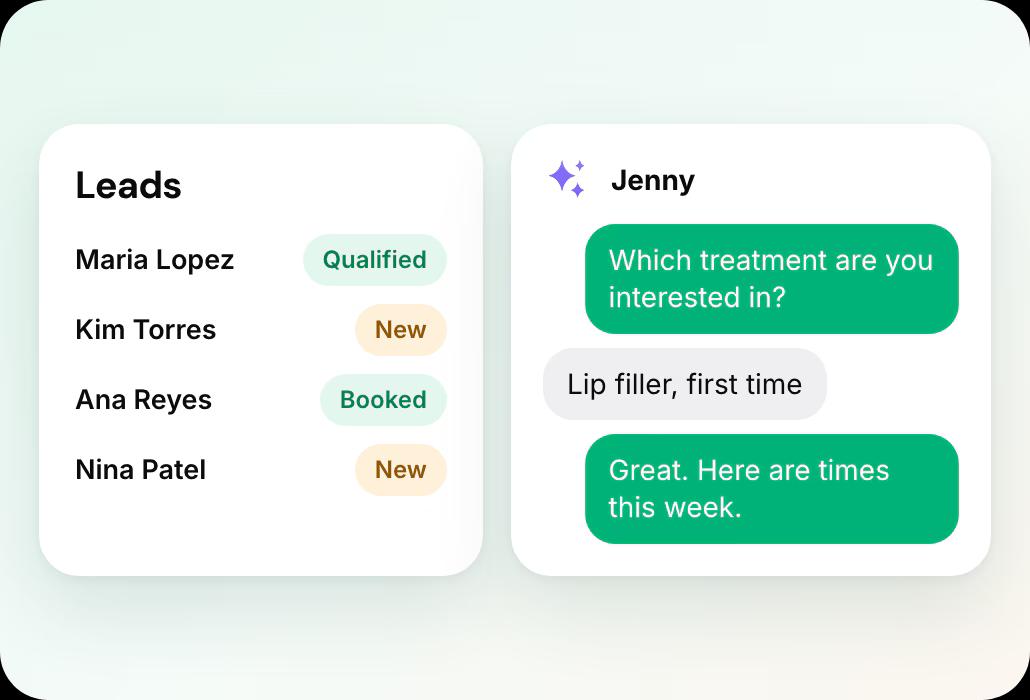
Jenny answers and qualifies new enquiries
A lead fills in a form on your website, Jenny asks your qualifying questions in chat and books a time.
- Lead forms where Jenny answers questions, qualifies and books new leads
- Booking on your own website, no client account
Jenny brings clients back
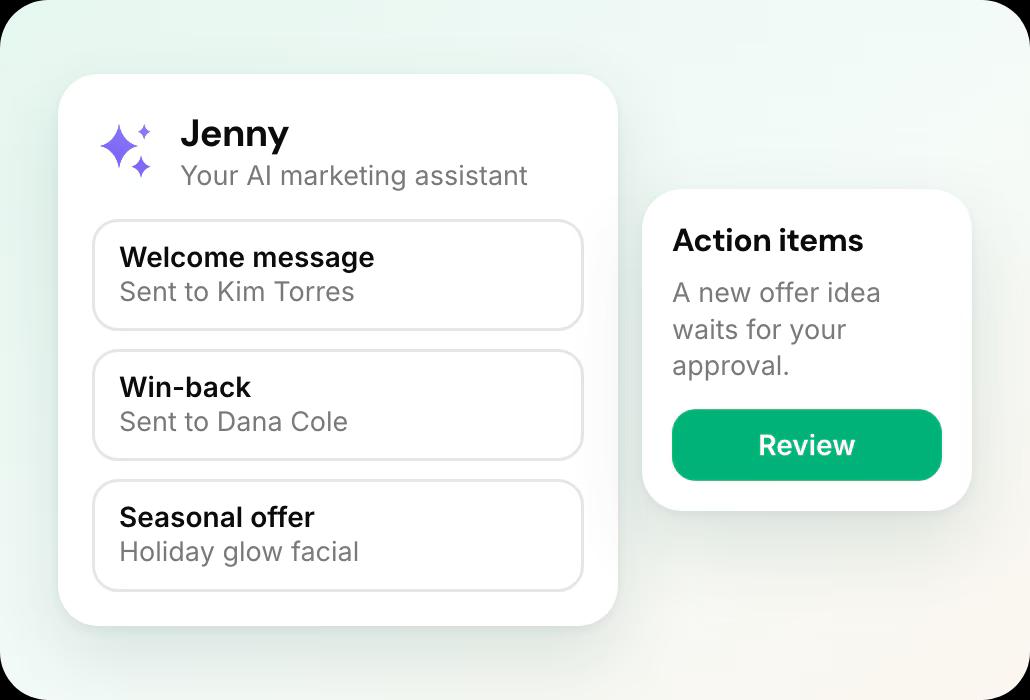
Welcome messages, rebooking and win-backs show on the Marketing dashboard, and new offer ideas wait in Action Items for your approval.
- Jenny confirms bookings, rebooks after visits and wins back quiet clients by text and email
- Email and SMS campaigns, Google review requests and holiday offers
Deposits and no-show fees on every appointment
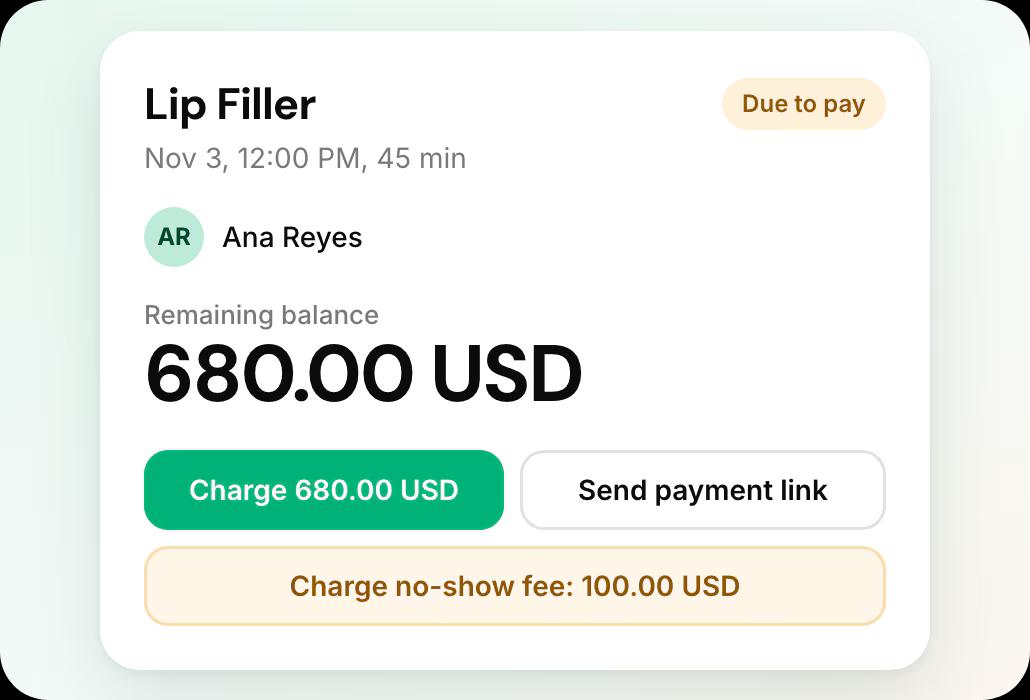
Each appointment shows what was paid, and the card on file lets you charge a no-show fee or send a payment link.
- Deposits, no-show fees and cards on file
Leaving Square Appointments what it involves
From Square Appointments’s own help documentation, accessed 18 October 2026.
Your client list
Customers and appointment history export as CSV; cards on file move to a new processor through Square Support, in up to two weeks.
Records and retention
Deactivation cannot be undone and ends access to payment history, while keeping the account open costs nothing.
The full export guide
Every step, in order, with sources.
Compare Square Appointments further
Square Appointments review: common questions
- Is Square Appointments good for med spas?
 For booking and payments in one ledger, yes, and the single-location plan costs nothing. For clinical work, no: Square publishes no charting, consent or prescribing, so an injectables practice runs a second system for records.
- Is Square Appointments really free?Yes, for a single location. Square Free is $0 per month with unlimited staff accounts and calendars. You pay card processing at 2.6% + 15c in person. Multi-location and the paid feature set start at $49 per month per location.
- Does upgrading Square reduce my card fees?Only for some transaction types. In-person rates drop from 2.6% to 2.4% across the tiers, but manually keyed and card-on-file transactions stay at 3.5% + 15c on every tier. If you charge deposits or no-show fees against a stored card, upgrading does not help that cost.
- Can a med spa run on Square Appointments?For booking and payments, yes. For clinical work, no. Square publishes no EMR, no charting, no consent forms, no before-and-after photo management and no prescribing. A practice doing injectables will need a second system for records.
- What support does Square Appointments include?Chat and email support are included on every plan. Phone support is Monday to Friday 6am to 6pm Pacific on Plus, 24/7 on Premium, and on the free plan for the first 90 days only.
- Is there a contract or setup fee?No. Square’s pricing page lists no long-term contract and no setup fee, says you can cancel or switch plans any time, and offers a 30-day trial on Plus and Premium.
- Can I keep Square and add Workee?Yes. Workee takes bookings on your own website and passes them to the calendar you already run, and Jenny follows up with clients by text and email, so Square keeps handling the rest. If you later move fully, Workee has its own calendar, payments and client records, and imports your client list from a spreadsheet.

Running Square Appointments today?
See what Workee adds to it.
Sources
- Square pricing page. Accessed 18 October 2026.
- Square — Deactivate your account. Accessed 18 October 2026.
- Square Appointments pricing page. Accessed 19 October 2026.
