
Zenoti review pricing, strengths and limits for med spas
Zenoti is an enterprise platform sold by quote to multi-location groups. It publishes no prices, offers Surescripts ePrescribe, and bills AI and messaging separately. This review sticks to what Zenoti publishes, which on price is nothing.1
Get a Demo
What Zenoti publishes about its pricing
Every row is quoted from Zenoti’s own pricing page, accessed 18 October 2026. “Not published” means Zenoti does not say.
| Item | Zenoti |
|---|---|
| Entry price | Not published. Zenoti quotes against your footprint |
| Any published price | None. The pricing page routes to "Get a Quote" |
| Third-party estimate | GetApp and Software Advice both list "from $300/mo" - directory self-reports, not a Zenoti rate card |
| AI features | Gated behind a separate paid "AI Plus package"; price not published |
| ePrescribe | Surescripts integration, EPCS and non-EPCS; price not published |
| Communications | Voice, SMS and messaging billed on consumption; rates not published |
| Card processing rate | Not published |
| Contract terms | Not published |
| Onboarding | White-glove migration and phased rollout; cost not published |
Where Zenoti is strong
You run several locations and need one system across them
Zenoti is built and sold for chains. Pricing is explicitly footprint-based and implementation is phased with dedicated experts. That machinery is overkill for one location and the right answer for twelve.
You need real clinical records for injectables
Structured treatment notes capturing product, units, lot number and treatment area, before-and-after photos inside the HIPAA environment, a signed BAA, and Surescripts ePrescribe including EPCS. That is a genuine differentiator over general salon software.
You want to collapse a stack of subscriptions
Voice, SMS, messaging, payments, marketing and clinical records sit in one contract. If you are currently paying eight vendors, consolidation has real value.
Where Zenoti falls short
No published pricing
Zenoti’s pricing page routes to “Get a Quote”. Directories such as GetApp and Software Advice list “from $300/mo”, but those are directory self-reports, not a Zenoti rate card.
AI and messaging are billed separately
AI features sit behind a separate paid “AI Plus package”, and voice, SMS and messaging are billed on consumption. Neither price is published.
Built for scale
Zenoti sells white-glove migration and a phased rollout, at a cost it does not publish. That suits a group of locations better than a single clinic that wants to be live this month.
Running Zenoti? What Workee adds
Workee runs alongside Zenoti. These are screens from the Workee app.
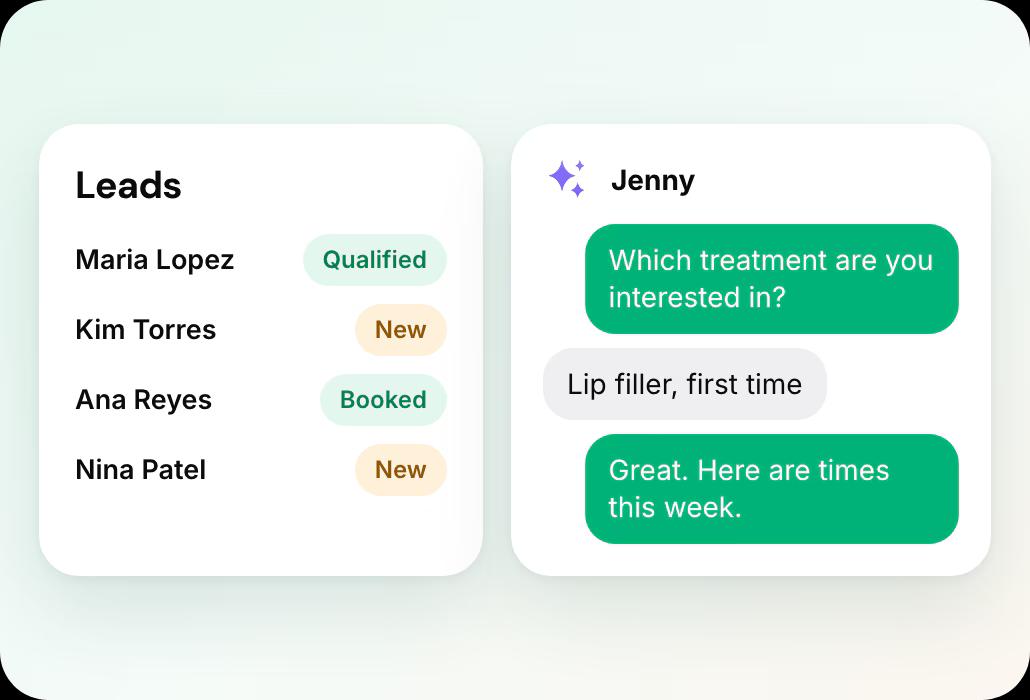
Jenny answers and qualifies new enquiries
A lead fills in a form on your website, Jenny asks your qualifying questions in chat and books a time.
 Lead forms where Jenny answers questions, qualifies and books new leads
- Booking on your own website, no client account
Jenny brings clients back
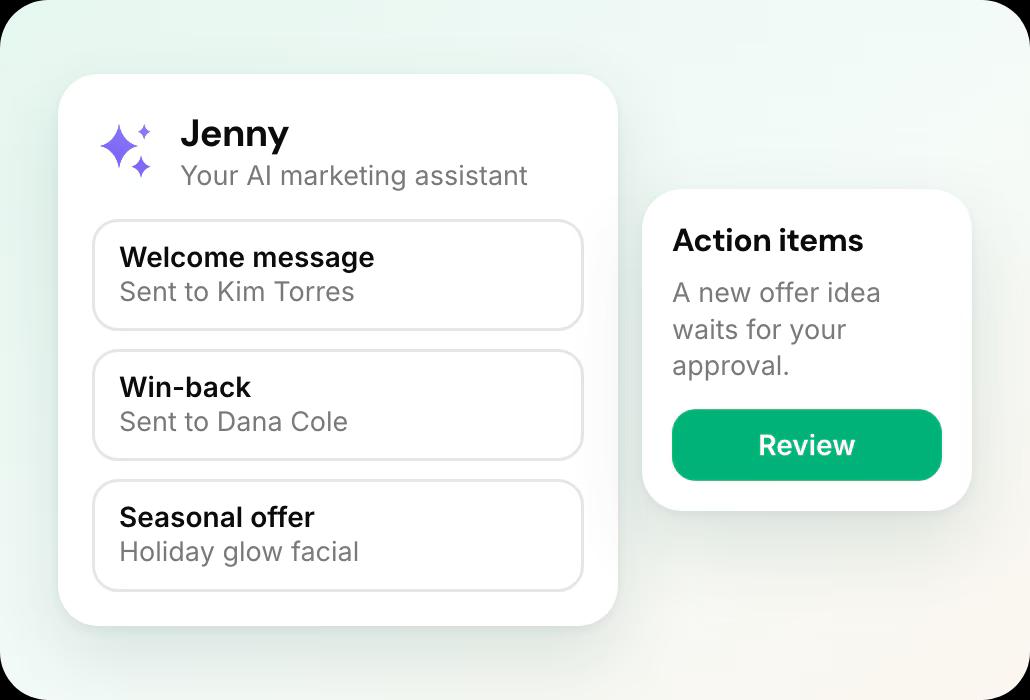
Welcome messages, rebooking and win-backs show on the Marketing dashboard, and new offer ideas wait in Action Items for your approval.
- Jenny confirms bookings, rebooks after visits and wins back quiet clients by text and email
- Email and SMS campaigns, Google review requests and holiday offers
Deposits and no-show fees on every appointment
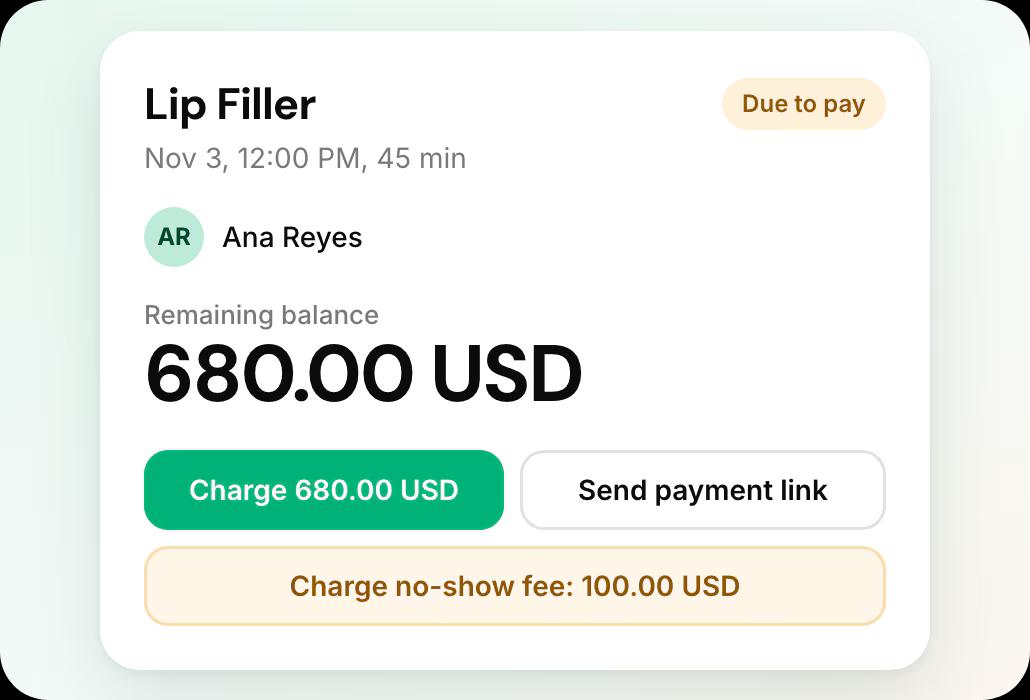
Each appointment shows what was paid, and the card on file lets you charge a no-show fee or send a payment link.
- Deposits, no-show fees and cards on file
Leaving Zenoti what it involves
From Zenoti’s own help documentation, accessed 18 October 2026.
Your client list
A published off-boarding guide covers every module; guests and appointments export to CSV or Excel.
Records and retention
Guest notes, forms and photos cannot be bulk-exported. The published terms give one CSV export if requested in writing within 30 days of termination, with fees.
The full export guide
Every step, in order, with sources.
Compare Zenoti further
Zenoti review: common questions
- Is Zenoti good for a single-location med spa?
 Zenoti is built for groups of locations: white-glove migration, a phased rollout and pricing quoted against your footprint. A single clinic can buy it, but expect a sales conversation before you see any price.
- How much does Zenoti cost?Zenoti publishes no prices. Its pricing page lists no plan names with prices, no per-seat cost and no billing unit, and routes visitors to a quote or a demo. It states that multi-location pricing is customised to your footprint. Directory sites list "from $300/month", but those are self-reported listings rather than a Zenoti rate card.
- Does Zenoti do ePrescribe?Yes, through a Surescripts integration supporting both EPCS and non-EPCS prescribing. Zenoti does not publish a price for it. Workee has no prescribing feature at all.
- Is Zenoti worth it for one location?Probably not, and Zenoti does not really pitch it that way. Pricing is tailored to footprint, AI features sit behind a separate paid package, and communications bill on consumption - so a single-site owner cannot forecast the total without a sales conversation.
- Can I keep Zenoti and add Workee?Yes. Workee takes bookings on your own website and passes them to the calendar you already run, and Jenny follows up with clients by text and email, so Zenoti keeps handling the rest. If you later move fully, Workee has its own calendar, payments and client records, and imports your client list from a spreadsheet.

Running Zenoti today?
See what Workee adds to it.
Sources
- Zenoti pricing page. Accessed 18 October 2026.
- Zenoti — Backup your data. Accessed 18 October 2026.
