
Turn “how much?” comments into booked clients
Price and booking questions pile up under your posts. Nobody replies, and the person moves on. Jenny answers every one.
Book a Demo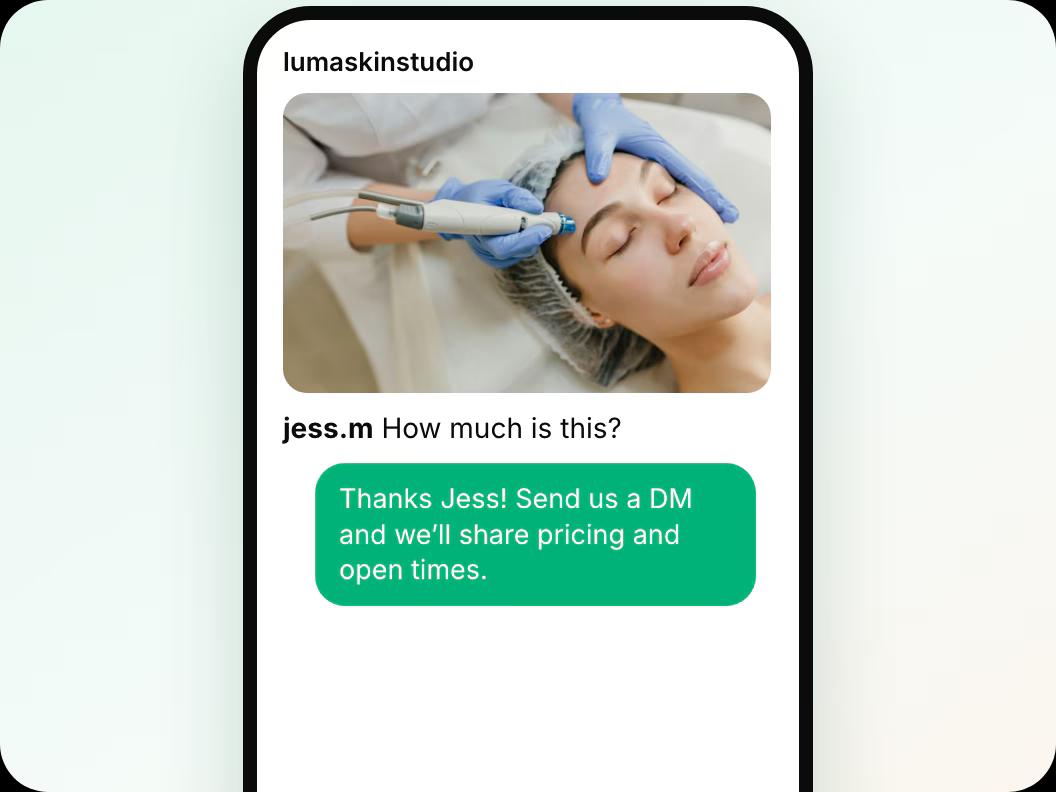
In short: Jenny replies to comments on your clinic’s Instagram posts. She answers price, booking and FAQ comments in public, in your voice, and invites the person to DM, where she qualifies them and sends your booking link. Complaints are flagged for you, and spam is hidden. Comments turn into DMs, and DMs turn into bookings. Launching in November 2026.
Updated
How it works under every post
In this guide
 Step 1
Jenny replies in public, as you
Price, booking and FAQ comments get a short, friendly answer under the post, in your voice.
 Step 2
She invites them to DM
Each reply asks the person to send a DM, where Jenny gets their details and sends your booking link.
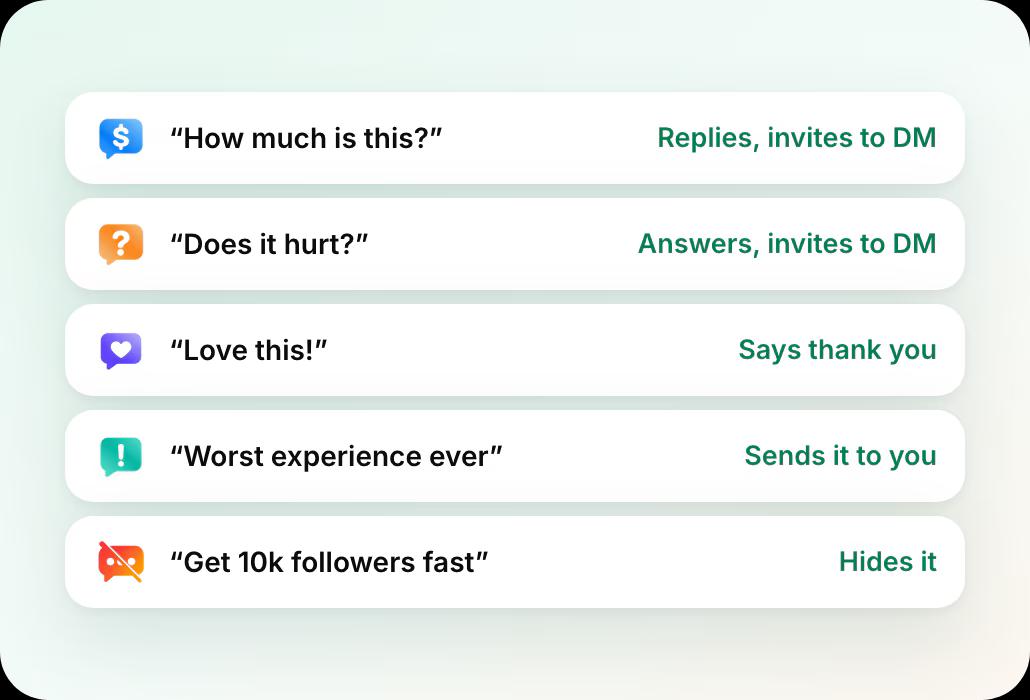
One post, six comments: what Jenny does with each

“How much is this?”
Jenny thanks them and invites them to DM for prices and times. No price list in public.

“Do you have anything this week?”
She invites them to DM, where she sends your booking link.

“Does it hurt?”
Jenny answers from your clinic FAQ and invites them to DM. Medical questions about their own case come to you.

“Love this!”
A short thank-you in your voice, so happy clients feel seen.

“Worst experience ever”
Flagged for you to handle. Jenny does not argue in public.

“Get 10k followers fast”
Spam is hidden.
Every comment gets the right response
Questions get a reply and a DM invite, compliments get thanks, complaints come to you and spam is hidden.
What it looks like in Workee
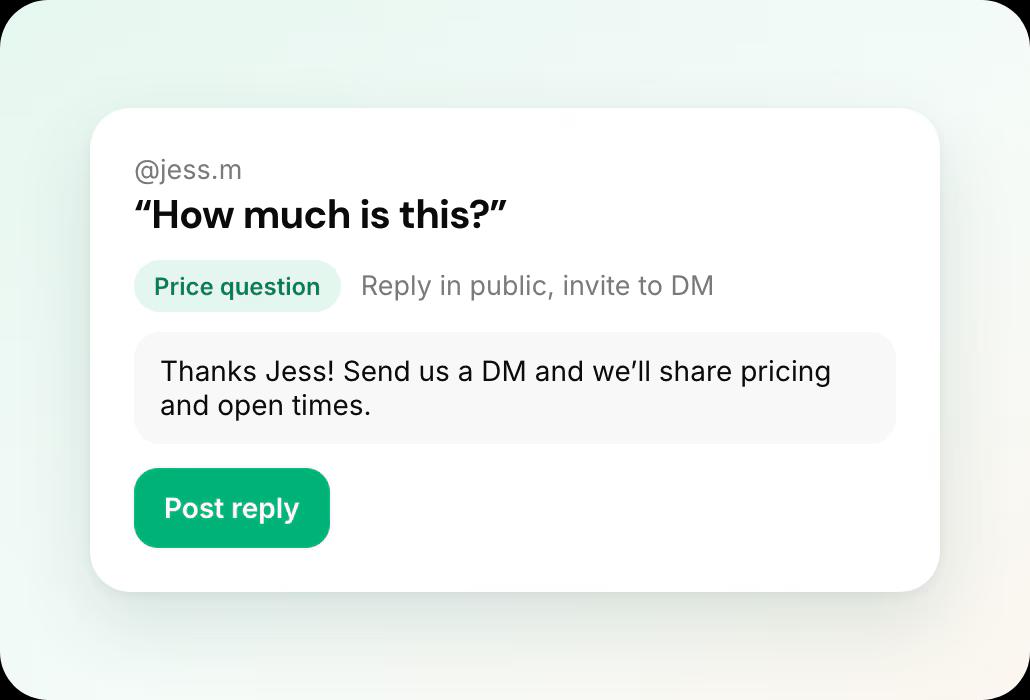
See Jenny’s reply to any comment
Try a comment and see exactly what Jenny would post, before she replies to anyone.
 Replies in your voice and language
- One reply per comment, never a thread of bot messages
You stay in charge
Jenny handles price, booking and FAQ comments. Complaints and anything sensitive come to you.
- Complaints always come to you
- Turn it off with one click, settings kept
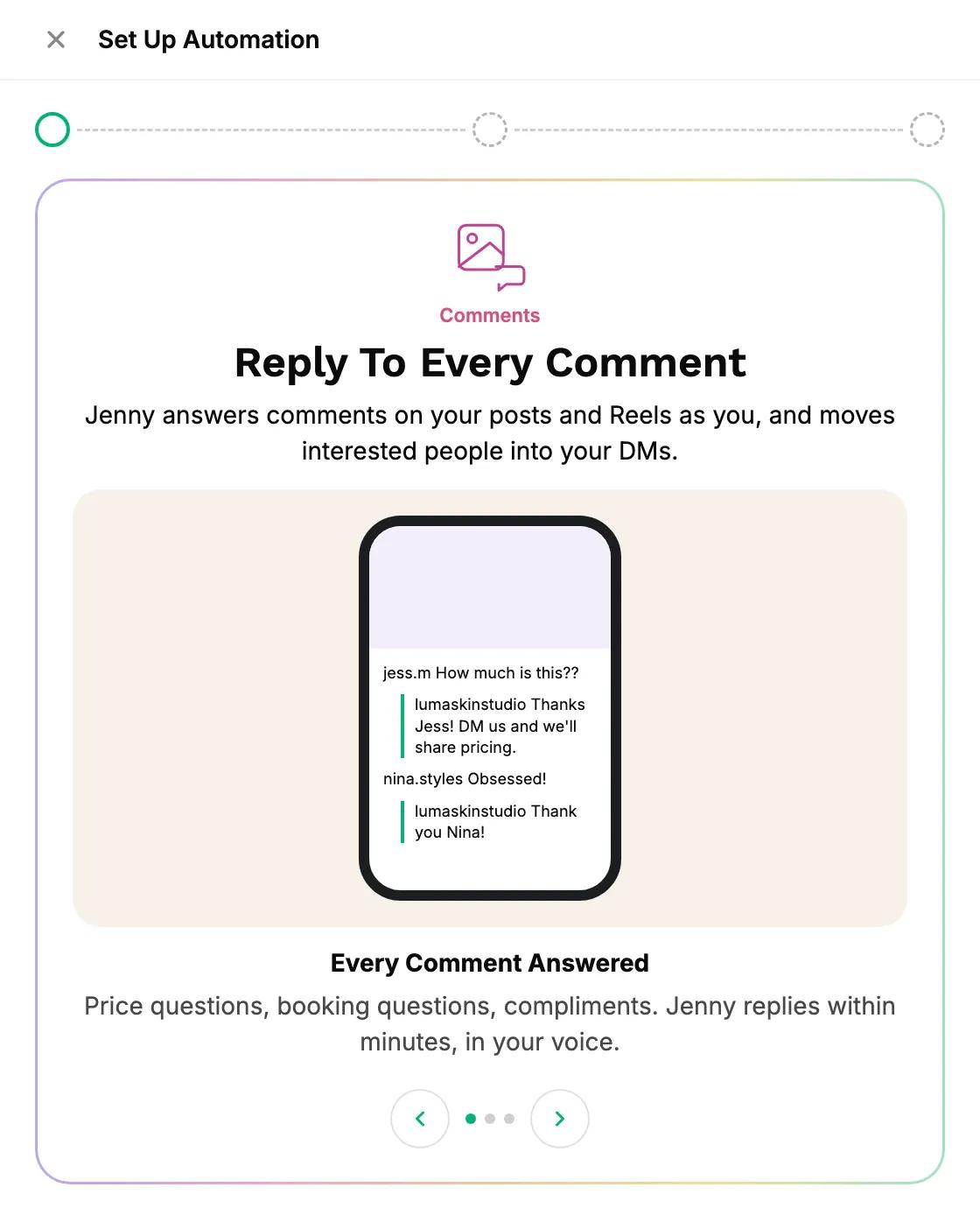
What you control

Which comments she answers
Prices, booking, FAQs and thank-yous. Anything else comes to you.

Every thread
Comment threads sit with your DMs in Leads and Conversations. Take over any of them.

Stop anytime
Comment replies turn on and off with one click and keep their settings.
Jenny on Instagram and related pages
Jenny for Instagram
DMs, comments and posting in one place. You only approve.
Instagram DMs to bookings
Every DM answered, qualified and sent your booking link.
Instagram posting on autopilot
A full feed every week from the photos you already take.
Workee for med spas
Booking, deposits, reminders and Jenny for aesthetic clinics.
Responding to negative reviews
HIPAA-safe reply templates for med spa reviews.
Website lead forms with Jenny
The same qualifying questions, on your website.
Instagram comment replies: common questions
- Will Jenny post prices in the comments?
 No. She invites the person to DM, where she answers from your service list and sends your booking link.
- What does Jenny do with complaints?She flags them for you and does not reply in public. You decide how to handle it.
- Does she reply to every comment?She replies to price, booking and FAQ comments and thanks people for kind ones. Spam is hidden, and anything sensitive comes to you.
- Will Jenny answer questions about treatments?She answers general questions from your clinic FAQ, such as how long a treatment takes. Medical questions about someone’s own case come to you.

