
How to Create Successful SMS and Email Campaigns for Beauty and Wellness Clients in 2026
In short: A successful campaign reaches the right clients with a relevant reason to act and makes booking the obvious next step. Choose one goal and audience, write one clear offer, use SMS for timely, simple actions and email when clients need context, send a test, and measure bookings rather than sends. Message only people who agreed to receive that type of marketing, and be careful with health information and claims.
A successful beauty or wellness campaign is not the message sent to the largest list. It is the message that reaches the right clients, gives them a relevant reason to act, and makes booking the obvious next step.
That distinction matters in 2026. Clients are more selective about what they open, carriers are more aggressive about filtering unwanted texts, and inbox providers expect stronger authentication and easier unsubscribing. At the same time, a small salon, spa, clinic, or wellness studio rarely has hours to build complicated automations. The practical answer is a repeatable campaign process: choose one goal, select the right audience, write one clear offer, test the experience, and learn from the result.
This guide explains how to do that with Workee Campaigns. It covers strategy, U.S. compliance and deliverability basics, step-by-step product instructions, and four campaigns you can adapt for your own business.
What makes a marketing campaign successful?
Strong campaigns are specific. Before writing a subject line or opening the message editor, complete this sentence:
We are sending this campaign to [audience] because we want them to [one action] before [reasonable deadline].
For example: “We are sending this campaign to clients who have not booked in 90 days because we want them to schedule a return visit before the end of the month. That is a campaign. We should tell everyone about our services is not.
Use the following five-part campaign brief:
One business goal:
fill tomorrow's opening, reactivate past clients, introduce a service, sell a seasonal package, or increase bookings for a quiet period.
One audience:
all eligible clients only when the message is relevant to almost everyone; otherwise, use a smaller client group.
One offer or reason to act:
a useful update, limited appointment availability, a clear benefit, or a genuine deadline.
One call to action:
Usually “Book now,” “Choose a time,” or “Reply YES.” Avoid asking clients to book, call, follow, share, and visit a page in the same message.
One success measure:
bookings, qualified replies, package sales, or reactivated client not simply how many messages were sent.
Choose email or SMS based on the job
Email and SMS are not interchangeable. Choose the channel based on urgency, complexity, and the relationship you have with the recipient.
Use SMS for timely, simple actions
SMS works best when the client can understand the message in seconds and act from a phone: a newly available appointment, a short promotion, a booking reminder, or a brief reactivation invitation. It is personal and immediate, so it should be used carefully. Sending too often or to clients who did not expect marketing texts can damage trust and increase opt-outs.
Use email when the client needs context
Email is better for a new service explanation, a seasonal menu, an event, a package with multiple benefits, or a campaign where images and a longer story help. A well-structured email still needs discipline: a clear subject line, short paragraphs, one primary button, and a direct connection between the promise in the subject and the content inside.
Use both as a sequence, not a duplicate blast
For a larger launch, send the email first and reserve SMS for people who gave SMS marketing consent and would benefit from a concise reminder. Do not paste the full email into a text. The email explains; the SMS prompts action. A simple sequence might be an announcement email on Tuesday followed by one brief SMS on Friday before a real Sunday deadline.
Protect permission, trust, and deliverability
This section is operational guidance, not legal advice. Federal and state requirements can vary by message type, technology, location, and business. Healthcare providers may also have privacy obligations that do not apply to a standard salon. When in doubt, have qualified counsel review your consent language and campaign practices.
Only message people who agreed to receive that type of marketing
A phone number collected for an appointment is not automatically permission for recurring promotional texts. Keep a record of how and when each client opted in, what they agreed to receive, and which business they authorized. The wireless industry's Messaging Principles and Best Practices centers wanted messages and protection from unwanted ones.
Businesses sending application-to-person SMS through a U.S. 10-digit number generally need A2P 10DLC registration. Twilio explains that this registration identifies the brand and campaign, documents the opt-in method, and supports opt-out and help workflows. Registered traffic also receives better throughput and is less likely to be filtered than unregistered traffic. Review the current A2P 10DLC requirements for the number used by your business.
Identify your business in the message and provide a straightforward way to stop marketing texts. Treat replies such as STOP, CANCEL, END, REVOKE, OPT OUT, and UNSUBSCRIBE as opt-out requests, and honor other clear requests as well. FCC rules recognize reasonable methods of revoking consent. A limited waiver related to applying one revocation across unrelated robocalls and robotexts ended on April 11, 2026, so the safest operating practice is to treat a clear marketing opt-out broadly across the senders promotional texts unless the client later gives valid consent again. See the FCCs 2025 order and obtain legal guidance for your specific workflow.
Follow commercial-email requirements
The U.S. CAN-SPAM Act applies to commercial email, including many messages sent to former clients. The FTCs compliance guide requires accurate sender information, a subject line that reflects the email, identification of the message as an advertisement when required, a valid physical postal address, a clear opt-out method, and prompt handling of unsubscribe requests. The FTC says opt-outs must be honored within 10 business days, but good customer experience means processing them much faster.
Deliverability standards go beyond minimum legal compliance. Google requires high-volume senders to authenticate mail with SPF, DKIM, and DMARC, support one-click unsubscribe for promotional traffic, and keep reported spam rates below 0.3%. Google recommends remaining below 0.1%. Even small senders benefit from the same habits: verified domains, wanted mail, clean lists, gradual volume changes, and easy unsubscribing. Review the current Gmail sender guidelines and Yahoo Sender Hub recommendations.
Be especially careful with health information and claims
Do not reveal sensitive services, diagnoses, prescriptions, or treatment history in a campaign unless your privacy and authorization process clearly permits it. HHS states that covered entities generally need authorization to use or disclose protected health information for marketing, with limited exceptions. Clinics should review the HIPAA marketing guidance and get professional advice before using health information to build an audience or personalize a promotion.
Beauty and wellness claims also need proper support. Statements such as “eliminates wrinkles,” “detoxes your body,” or “guarantees weight loss” may communicate objective health or efficacy claims. The FTCs Health Products Compliance Guidance says express and implied claims must be truthful, not misleading, and supported by appropriate evidence. AI can improve a draft, but it cannot supply proof your business does not have. Review every generated claim before sending.
How to create a campaign in Workee
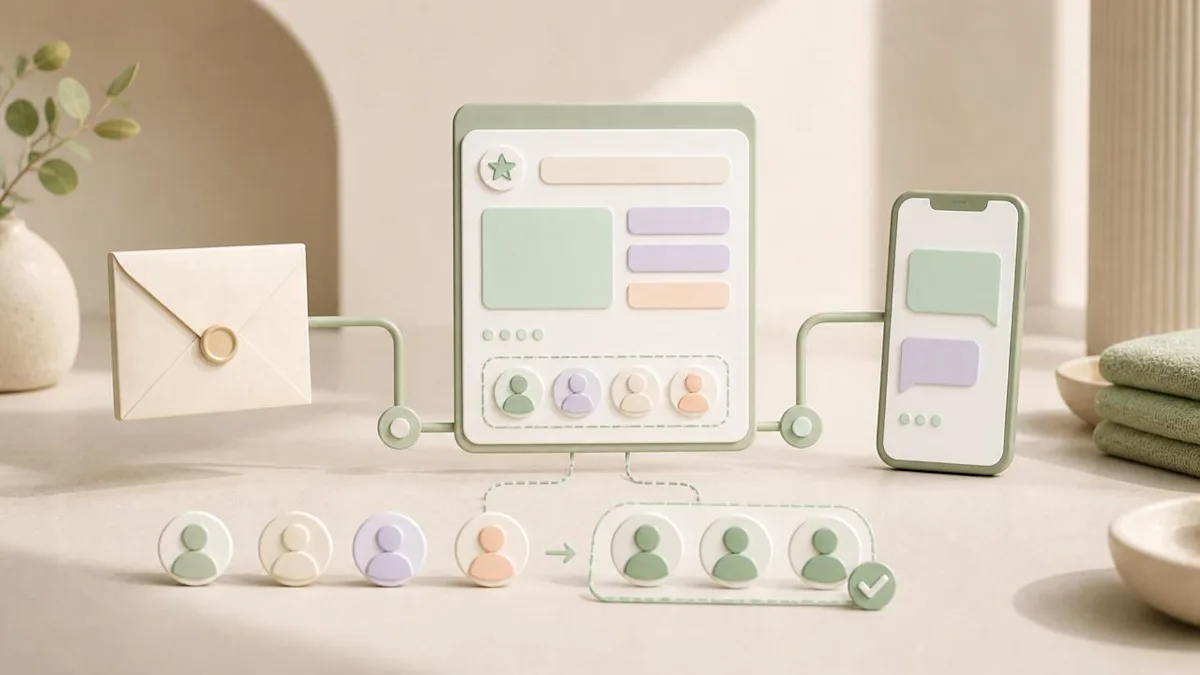
Workee keeps campaign creation inside the same workspace where you manage clients and bookings. If you are evaluating the broader platform, explore Workee for beauty and wellness businesses and review Workee plans.
1. Open Marketing, then Campaigns
The Campaigns screen shows the email and text-message connections included in your plan, how many messages have been used, and how many remain in the current period. Check the available balance before planning a large send. If the intended audience exceeds the remaining limit, narrow the segment or review upgrade options rather than discovering the issue at launch.
2. Choose Email Campaign or SMS Campaign
Select the channel that matches your goal. Give the campaign a practical internal name your team can easily recognize later, such as “September Facial Reactivation — 90 Days” instead of “September Promo.” A consistent naming system makes drafts and completed campaigns easier to organize, track, and compare.
3. Select all clients or a group
Workee shows how many contacts will receive your campaign. “Send to all” should be the exception, not the default. Choose a specific group when the offer relates to a service, visit history, client lifecycle stage, or location. Before continuing, ask: Would nearly everyone in this audience understand why this message is relevant to them?
For SMS, review the eligible-recipient count. Some contacts may be skipped because they are not eligible for texting. Do not attempt to work around that status by exporting and messaging them elsewhere.
4. Write the message or use Generate
You can compose the campaign manually or ask Workee AI to help. When using Generate, describe the campaign in concrete terms:
Who is receiving it?
What is the service, update, or offer?
What is the real deadline or availability?
What tone should it use?
What single action should the client take?
Which claims or phrases should it avoid?
A useful prompt might be: “Write a warm email for clients who haven’t visited in 90 days. Invite them to book a facial consultation this month. Don’t promise results or create false urgency. Keep the email under 180 words and include one clear booking CTA.”
5. Review the generated result like an editor
Don’t click “Use this” simply because the draft sounds polished. Verify the service name, price, deadline, booking link, eligibility requirements, sender identity, personalization fields, and every objective claim. Remove clichés, excessive punctuation, unsupported outcomes, and language that could embarrass a client if it appeared on their locked screen. If the draft doesn’t follow your brief, select “Try Again” and provide more specific instructions.
6. Save a draft or continue to preview
Save the campaign as a draft when another person needs to approve it or when details may change. On the final preview, confirm the sender name, reply-to address, audience size, credit usage, subject line, message, and CTA destination.
7. Send a test before starting the campaign
Use Workee’s “Send Test Email” or “Send Test SMS” option before launching your campaign. Open the test on a real phone and check the first visible line, personalization, line breaks, links, landing page, booking flow, and reply path. For email campaigns, review the message on both mobile and desktop. For SMS campaigns, confirm that the sender is recognizable and the complete message makes sense without additional context.
8. Start the campaign and measure the business result
After launch, track delivery, clicks or replies, bookings, revenue attributable to the campaign, unsubscribes, and complaints. Avoid judging a campaign by open rate alone; privacy features can make opens unreliable. Compare results with your own previous campaigns and audiences. Over time, this gives you a useful baseline for your business instead of a generic benchmark.
Copy rules that improve response without sounding like a blast
For SMS: recognizable, relevant, and brief
A practical SMS formula is: name + reason now + client value + one action + opt-out. Aim for fewer than 160 GSM-7 characters when possible. Twilio explains that a standard GSM-7 SMS supports 160 characters, while a message containing an emoji or another UCS-2 character can drop to 70 characters before segmentation. Longer messages may use multiple segments and additional credits. Review the Twilio SMS character guide and remember that replacing tokens with real names and links changes the final count.
Write as though your business is speaking directly to one client. Avoid excessive exclamation marks, unexplained shortened links, all caps, and generic openings such as “BIG NEWS.” Use urgency only when the deadline or limited availability is genuine.
For email: earn the next click
The subject line should make one honest promise. The opening should immediately explain why the client is receiving the message. Use short paragraphs, concrete details, and one prominent CTA. If the email includes a promotion, state the important restrictions clearly instead of hiding them after the button.
A useful structure is:
Subject:
specific benefit or timely reason to open.
Opening:
one sentence connecting the message to the client.
Value:
two or three sentences about the service, update, or offer.
Details:
deadline, eligibility, availability, or terms.
CTA:
one button leading directly to the relevant booking page.
Footer:
sender identity, address, and unsubscribe method.
Four campaign examples for beauty and wellness businesses
These examples are starting points. Replace the details with accurate information, verify consent and eligibility, and review the final message after Workee inserts real names and links.
Campaign 1: Fill a newly available appointment
Audience: opted-in clients likely to want the relevant appointment type. Goal: book one or more near-term openings. Timing: as soon as the availability is confirmed.
Email subject: An appointment just opened tomorrow
Email:
Hi [Name],
We had an appointment open tomorrow at [Business], and I wanted to offer it to you before sharing it more widely.
If the timing works, you can choose the available session here:
CTA: View the available appointment
We’d love to see you, [Business]
104 characters before token replacement: Hi [Name], we had a spot open tomorrow at [Business]. Want it? Book here: [Link]. Reply STOP to opt out.
Campaign 2: Run a genuine seasonal offer
Audience: clients with a relevant previous service or demonstrated interest. Goal: increase bookings before a real Sunday deadline. Timing: one announcement and, if appropriate, one reminder.
Email subject: A seasonal thank-you for your next visit
Email:
Hi [Name],
We're offering 15% off your next [Last Service] at [Business] when you book by Sunday. It is a simple thank-you for being part of our client community.
Choose a time that works for you, and the offer will be applied to the eligible service. Add the real terms here, including the appointment window and any exclusions.
CTA: Book your next visit
Warmly, [Business]
114 characters before token replacement: Hi [Name], save 15% on your next [Last Service] at [Business] through Sunday. Book: [Link]. Reply STOP to opt out.
Campaign 3: Welcome back an inactive client
Audience: clients who have not visited within a defined period, such as 90 days. Goal: reactivate past clients without shaming or pressure. Timing: based on a normal return interval for the service.
Email subject: We’d love to welcome you back
Email:
Hi [Name],
It has been a while since we saw you at [Business], and we wanted to check in. If you have been thinking about your next visit, you can now choose a time online in a few clicks.
No pressure and no complicated offer—just a warm invitation when the timing feels right.
CTA: Choose your next appointment
Hope to see you soon, [Business]
126 characters before token replacement: Hi [Name], it's been a while! I'd love to welcome you back to [Business]. Book your next visit: [Link]. Reply STOP to opt out.
Campaign 4: Introduce a new service responsibly
Audience: clients who are likely to be interested, without using sensitive health information improperly. Goal: generate qualified interest and introductory bookings. Timing: after staff, pricing, service details, and booking availability are confirmed.
Email subject: Meet our new glow facial
Email:
Hi [Name],
We've added a new glow facial at [Business]. The appointment is designed as a relaxing, personalized skincare experience, with the service adjusted to your goals after an initial consultation.
Visit the booking page for the accurate treatment description, price, timing, suitability information, and available appointments. Avoid adding claims about guaranteed outcomes unless your business has appropriate evidence and the claim is permitted.
CTA: Explore the new service
See you soon, [Business]
125 characters before token replacement: Hi [Name], [Business] just added our new glow facial. Want first access? See details and book: [Link]. Reply STOP to opt out.
A pre-launch checklist for every Workee campaign
The campaign has one measurable business goal.
Every recipient is eligible and has the appropriate marketing permission.
The audience is the smallest relevant group, not automatically the entire client list.
The sender name and business identity are clear.
The subject line or opening accurately matches the message.
The price, deadline, availability, restrictions, and booking link are correct.
Every health, safety, efficacy, and testimonial claim has appropriate support.
The message has one primary CTA.
The unsubscribe or SMS opt-out path is clear and working.
A real person has reviewed the AI-generated copy.
A test email or test SMS was opened on a real phone.
The final personalized SMS length and encoding were checked.
The team knows how replies, bookings, and opt-outs will be handled.
When you are ready to bring your client communication, booking, and follow-up into one workspace, review Workee pricing and plans or open Workee to create your next campaign.
Frequently Asked Questions
How often should a beauty or wellness business send marketing texts?
There is no universal frequency that works for every business. Start with fewer, more relevant messages and set expectations at opt-in. Watch opt-outs, complaints, and booking response; if engagement falls or opt-outs rise, improve segmentation and reduce frequency rather than sending more.
Should I send a campaign to all clients or create a group?
Use a group whenever the campaign depends on service history, interest, location, lifecycle stage, or eligibility. Send to all only when the message is genuinely relevant to nearly every eligible client. Smaller, better-matched audiences usually create a more personal experience and protect sender reputation.
Can Workee AI write the entire campaign for me?
Workee can generate a useful first draft from your campaign description, but a person should approve every message. Verify facts, terms, personalization, links, claims, audience, consent, and tone before choosing “Use this†or launching the campaign.
How long should a marketing SMS be?
Aim to stay within 160 GSM-7 characters when possible, including the sender identity, link, and opt-out language. Emoji and other Unicode characters can reduce a single SMS segment to 70 characters, and the final length can change when Workee replaces [Name], [Business], [Last Service], and [Link] with real values.
What should I measure after sending a campaign?
Measure the outcome tied to the original goal: appointments booked, replies, reactivated clients, package sales, or attributed revenue. Also monitor delivery failures, unsubscribes, spam complaints, and the number of recipients skipped as ineligible. Compare each campaign with similar campaigns sent to similar audiences.
Can a med spa include a client's past treatment in a campaign?
Possibly, but healthcare privacy and marketing rules may apply, and the answer depends on the provider, data, authorization, channel, and jurisdiction. Do not assume that information collected for care can be reused for promotion. Have qualified privacy counsel review the workflow before using treatment history or other sensitive health information for segmentation or personalization.



Keep updated about latest industry insights and subscribe to our newsletter
Follow Us


