
Appointment reminders by SMS and WhatsApp
A reminder the day before is the simplest no-show fix there is. Workee sends confirmations and reminders by email on its own, and by SMS and WhatsApp once you switch them on.
Get a Demo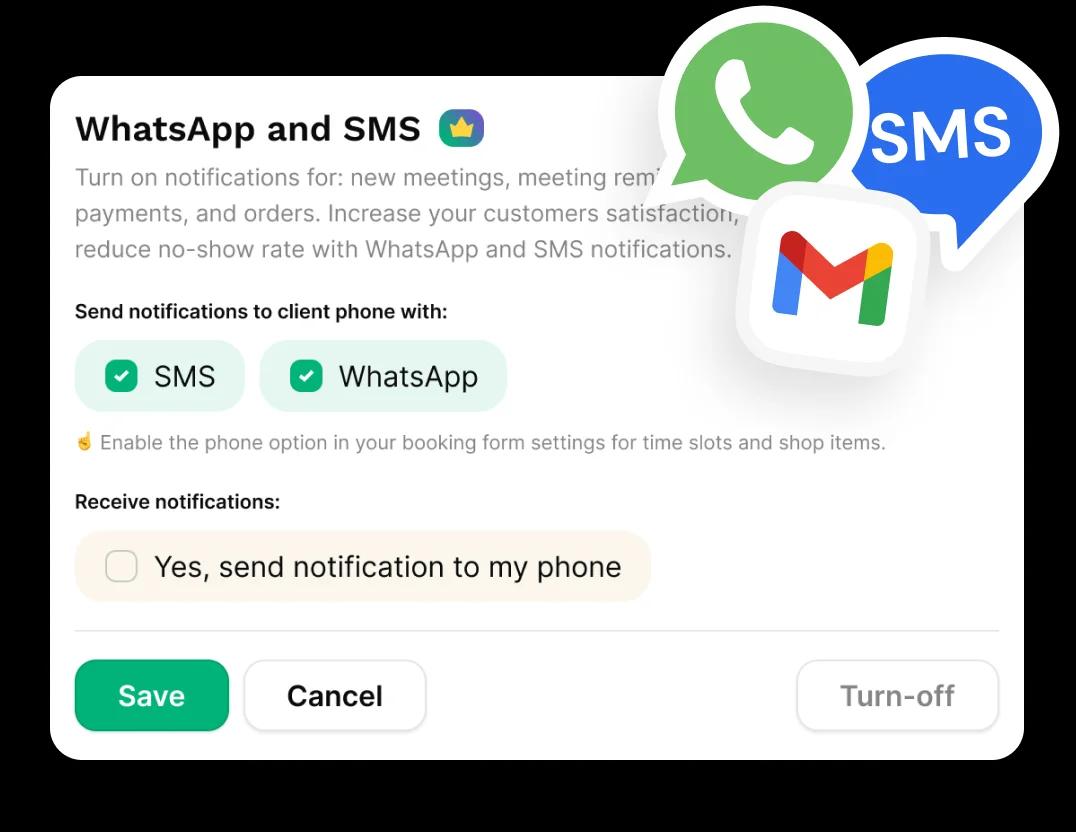
In short: Workee sends each client a booking confirmation and a reminder 24 hours before the appointment by email. To add SMS and WhatsApp, turn on WhatsApp and SMS notifications in Workee, tick the channels you want, and make phone number part of your booking form. Clients then get confirmations, reminders and payment messages on their phone.
Updated
Before you start

Phone numbers on bookings
Texts need a number. Make the phone field part of your booking form so every new booking has one.

Message credits
Text messages use the message credits included with your plan.
Client consent
Appointment messages are expected by clients who book. Marketing texts are different: Workee records marketing consent on each client profile.
Step by step in Workee
In this guide
 Step 1
Open WhatsApp and SMS notifications
In Workee, open the WhatsApp and SMS notification settings.
 Step 2
Choose SMS, WhatsApp or both
Tick the channels to send to the client’s phone. Notifications cover new appointments, appointment reminders, payments and orders.
- Step 3
Add the phone field to your booking form
Turn on the phone option in your booking form settings for appointments and shop items, so the number is collected at booking.
 Step 4
Send a copy to your own phone
Tick the option to receive notifications on your phone if you want to hear about new bookings as they come in.
 Step 5
Save and book a test
Save, then book a test appointment with your own number. You should get the confirmation straight away, and the reminder 24 hours before the slot.
Reminders are one part of it. Jenny, an AI front desk that confirms each booking, follows up after visits to rebook, recovers abandoned bookings and wins back clients who have gone quiet, by text and email.
What it looks like in Workee
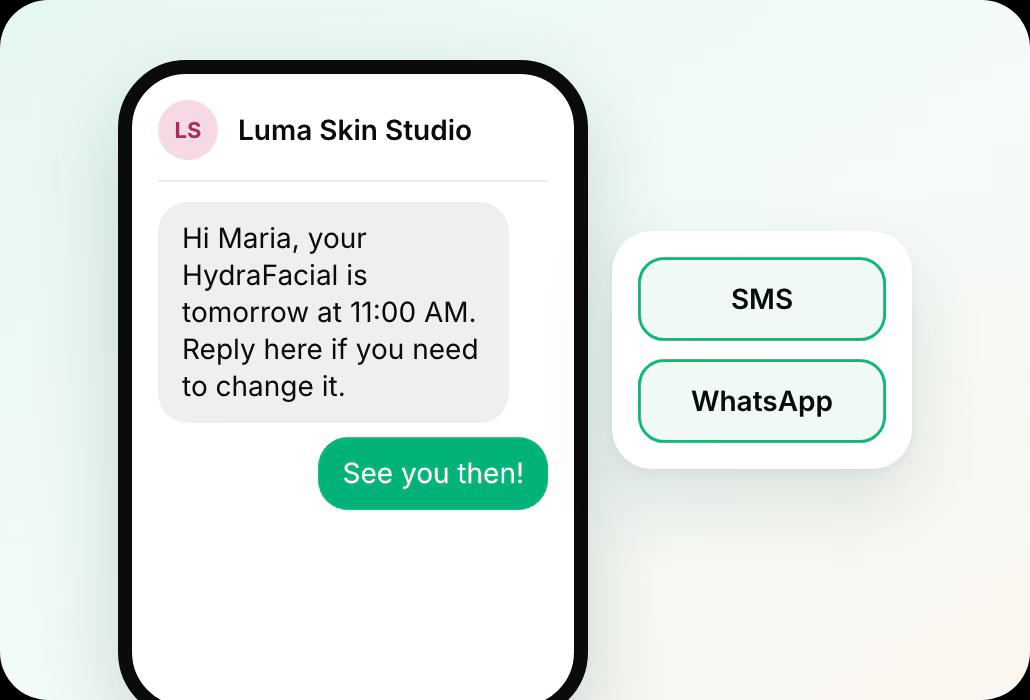
On your client’s phone
Tick the channels to send to the client’s phone. The reminder goes out 24 hours before the slot.
 SMS, WhatsApp or both
- Covers new appointments, reminders, payments and orders
Related guides and pages
How to charge no-show fees
For the clients a reminder does not move.
Add a booking widget to your website
Collect the phone number at booking.
Online booking and scheduling
Services, providers, locations and reminders.
Integrations
Stripe, PayPal, Zoom, SMS, WhatsApp and your website builder.
Workee for med spas
Booking, deposits and follow-up built for med spas.
Workee vs each platform
Side-by-side comparisons with every price cited.
Common questions
- When does Workee send appointment reminders?
 A confirmation goes out when the client books, and a reminder 24 hours before the appointment, by email and, if you turn them on, by SMS and WhatsApp.
- Can clients reply to the reminder?Jenny, the AI front desk, handles conversations with clients by text and email, including confirming bookings and following up after visits.
- Are reminders shown in the client’s time zone?Yes. Times in confirmations are shown in the client’s own time zone, with AM and PM.
- Do SMS reminders cost extra?Text messages use the message credits included with your plan. We can show you what each plan includes on a demo.

