
How to charge no-show fees
A no-show fee only works if you can actually collect it. Workee saves the client’s card through Stripe when they book, and you charge the fee from the appointment with one confirmation.
Get a Demo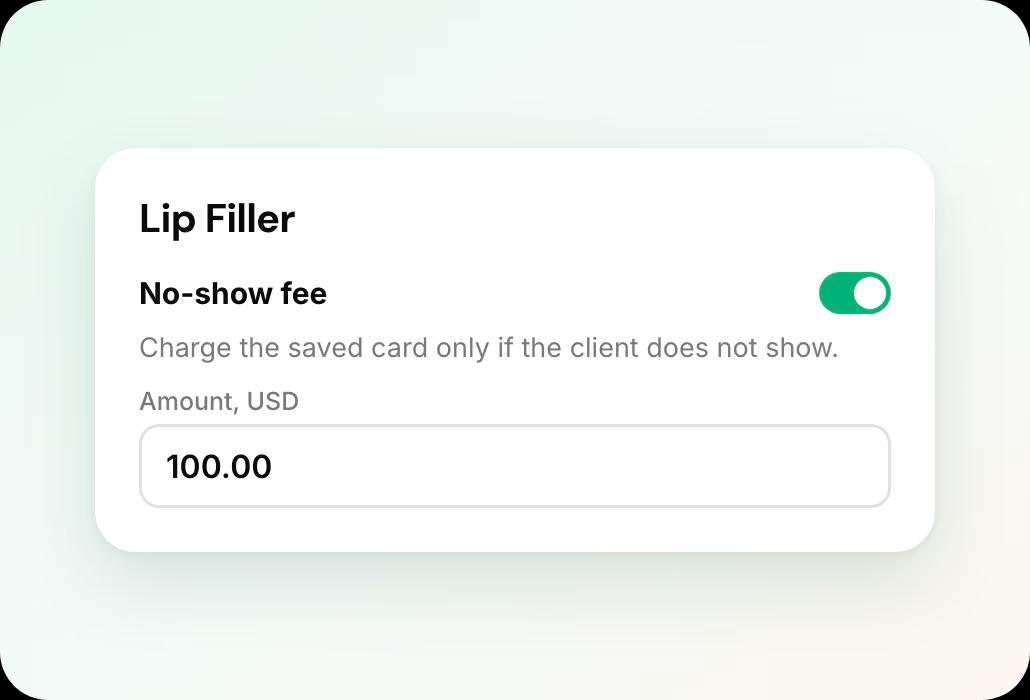
In short: To charge no-show fees in Workee, connect Stripe, add a no-show fee to each service, and put the fee in your cancellation policy. The client’s card is saved when they book. If they do not show, open the appointment and charge the no-show fee to the saved card. No-show fees are on Workee Pro and Business.
Updated
Before you start

A Pro or Business plan
Payments are on Workee Pro and Workee Business, with no Workee transaction fees; Stripe and PayPal charge their usual processing fees. The free Starter plan does not include payments.

Stripe connected
Saving a card on file and charging it later runs through Stripe.

A clear policy
Write down when the fee applies, for example a missed appointment or less than 24 hours’ notice, and how much it is.
Step by step in Workee
In this guide
- Step 1
Connect Stripe
Connect your Stripe account to Workee from your payment settings, if it is not connected already.
 Step 2
Add a no-show fee to the service
Open the service and set its no-show fee. It works on free consults too: a service with no price can still carry a no-show fee.
- Step 3
Put the fee in your cancellation policy
Add the fee to the booking and cancellation policy clients see while booking, so it is agreed before the appointment. The fee also appears in the booking emails.
 Step 4
Let clients book as usual
When a client books a service with a no-show fee, their card is saved for it. Services with a no-show fee do not offer book now, pay later.
 Step 5
Charge the fee if they do not show
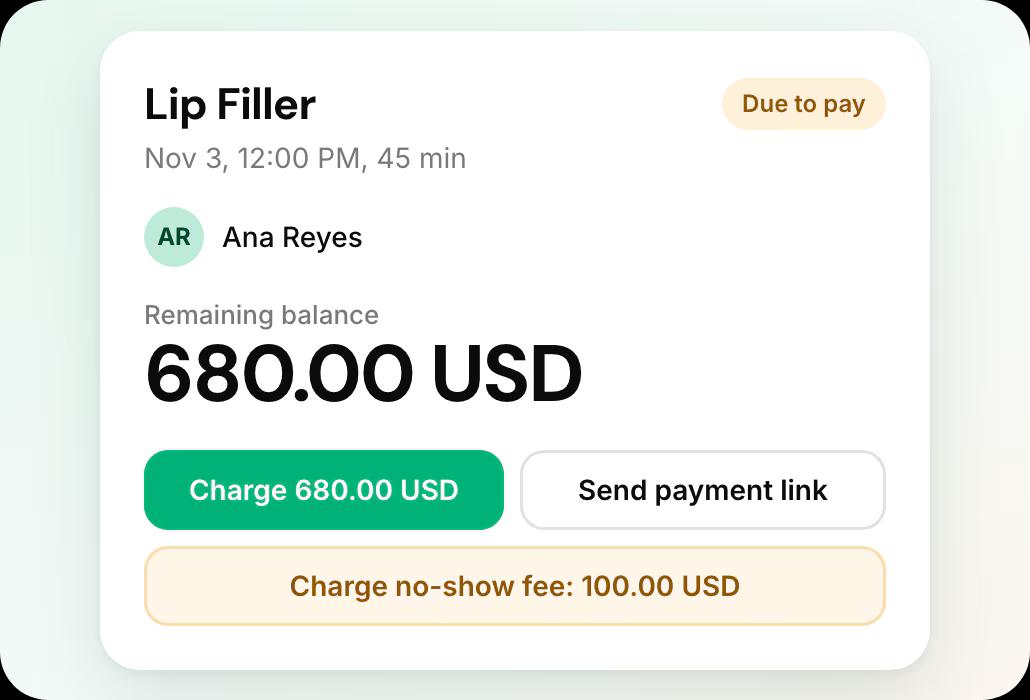
Open the appointment and choose Charge no-show fee. Workee asks you to confirm, charges the saved card, and the payment appears on your Finance page.
Only charge the fee when your policy says it applies, and send the client a short, polite note when you do.
What it looks like in Workee
Charge from the appointment
The appointment shows the payment, the saved card and a Charge no-show fee button with the amount on it.
 One confirmation before the charge
- Listed on your Finance page
Related guides and pages
How to take deposits
Require a deposit per service and show your policy before payment.
Appointment reminders by SMS and WhatsApp
Cut no-shows before they happen.
Deposits, no-show fees and payments
Everything Workee does with money, on one page.
Workee and Stripe
Card payments, deposits, cards on file and no-show fees.
Best med spa software
Seven platforms compared on what each vendor publishes.
Workee vs Vagaro
What each does, with Vagaro’s published prices cited.
Common questions
- Is it legal to charge a no-show fee?
 Rules vary by state and province, so check yours. In general a fee is easiest to stand behind when the client agreed to a written policy before booking, which is why Workee shows your policy during booking.
- Can I charge a no-show fee on a free consultation?Yes. A service with no price can still have a no-show fee, and the client’s card is saved when they book.
- Does the client see the no-show fee on my booking page?The fee is not advertised on your public booking page. It is in the cancellation policy the client sees and accepts while booking, and in their booking emails.
- Can I take PayPal for no-show fees?Saving a card and charging it later runs through Stripe, so connect Stripe for no-show fees. PayPal can still be offered for regular payments.

