
How to take deposits for med spa bookings
A deposit turns a tentative booking into a commitment. In Workee you set it per service, the client pays it while booking on your website, and the rest is collected at the visit.
Get a Demo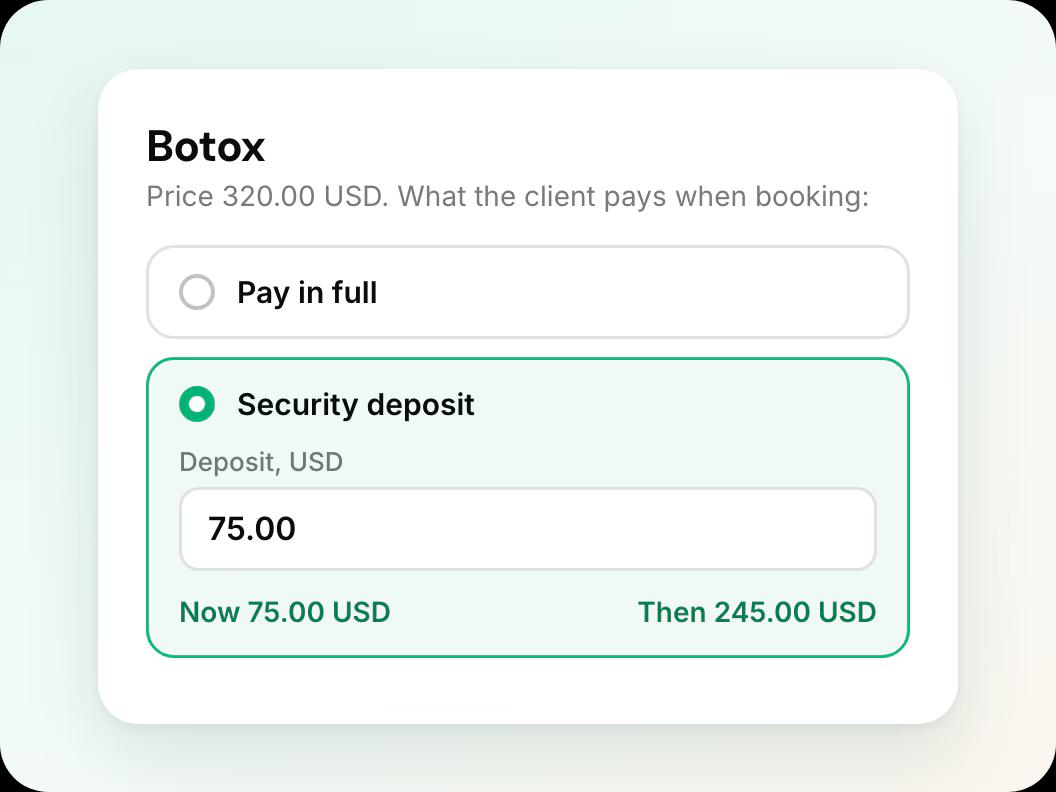
In short: To take a deposit in Workee, connect Stripe or PayPal, open the service, add a security deposit amount and make it required, then add your cancellation policy so clients see it before they pay. The client pays the deposit while booking on your website, and the balance is charged after the visit. Deposits are available on Workee Pro and Business.
Updated
Before you start

A Pro or Business plan
Payments are on Workee Pro and Workee Business, with no Workee transaction fees; Stripe and PayPal charge their usual processing fees. The free Starter plan does not include payments.

Stripe or PayPal connected
Deposits are paid through the payment account you connect to Workee. Stripe also lets you save the client’s card for the balance or a no-show fee.

Your cancellation policy
Have the wording ready: how much notice you need, and when a deposit is kept. Clients see it before they pay.
Step by step in Workee
In this guide
Set this up once per service. Start with the appointments that hurt most when they go empty, such as filler, laser packages and new-client consults.
- Step 1
Connect your payment account
Connect Stripe or PayPal to Workee from your payment settings. You sign in to the provider, confirm the account, and come back to Workee.
 Step 2
Open the service and add a deposit
Open the appointment or package in your services and add a security deposit amount. You can set a different deposit for each service, so a consult and a full filler appointment do not have to match.
 Step 3
Choose whether the deposit is required
Make the deposit required to hold the slot, or let clients book now and pay later for services where you do not need one.
- Step 4
Add your booking and cancellation policy
Add the policy to your booking settings. It is shown to the client during booking, before they pay, and the deposit appears in their confirmation email.
 Step 5
Book a test appointment
Book one appointment on your own website as a client would. Check the deposit amount, the policy text, the tip options and the confirmation email, then refund the test payment.
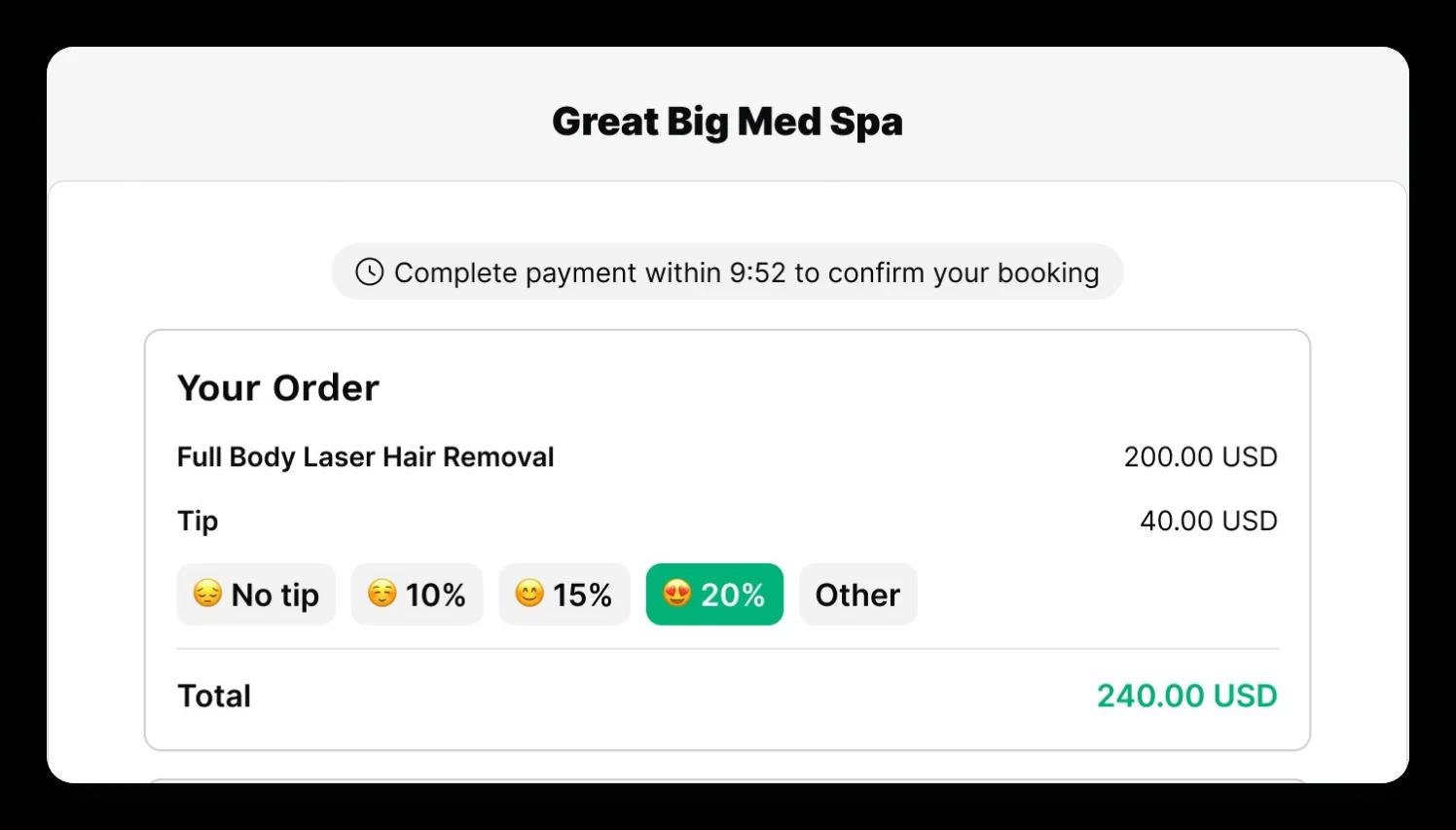
At checkout the client has a few minutes to finish paying, and the slot is confirmed once the payment goes through.
What it looks like in Workee
Checkout on your website
The client sees the service, an optional tip and the total, with a timer to finish paying and confirm the booking.
 Tip options with a default you choose
- Your policy shown before payment
The deposit on the appointment
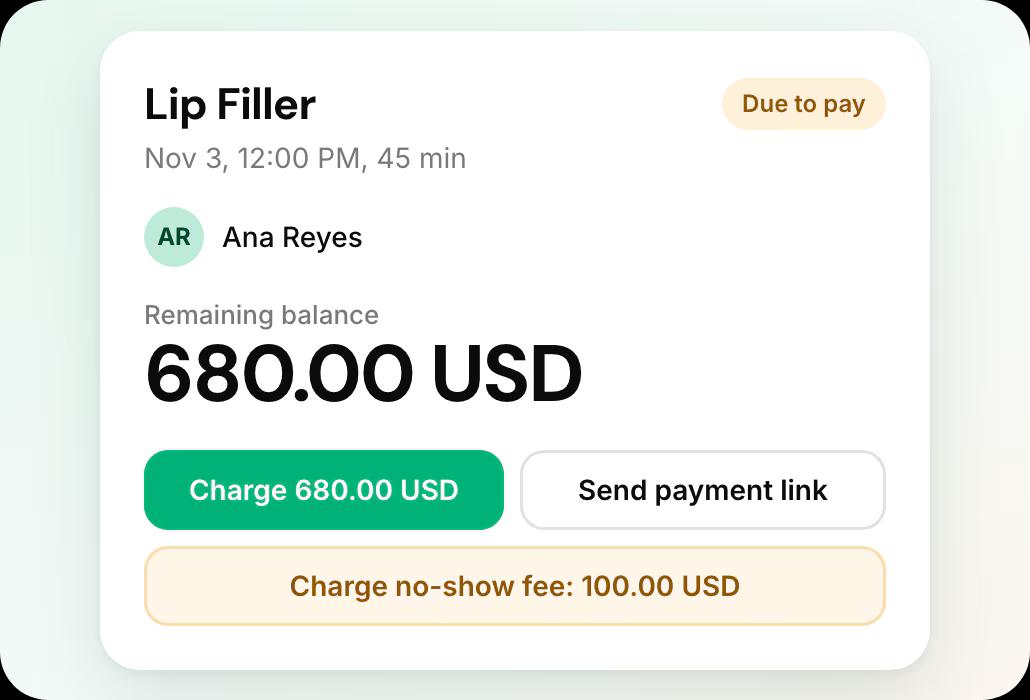
Each appointment shows what was paid, with buttons to charge the saved card, send a payment link or charge a no-show fee.
- Charge the balance after the visit
- Send a payment link by email
Related guides and pages
How to charge no-show fees
Keep a card on file and charge it when a slot sits empty.
Payment links, tips and refunds
Collect a balance by email and refund in full or in part.
Deposits, no-show fees and payments
Everything Workee does with money, on one page.
Workee and Stripe
Card payments, deposits, cards on file and no-show fees.
Workee for med spas
Booking, deposits and follow-up built for med spas.
Workee vs each platform
Side-by-side comparisons with every price cited.
Common questions
- How much deposit should a med spa take?
 That is your call, and Workee lets you set a different amount per service. You might take a smaller deposit for a consult and a larger one for long or high-value treatments. Whatever you choose, put it in your cancellation policy so clients know when it is kept.
- Can clients book without paying a deposit?Yes. A deposit is set per service and can be left off, and for services without one you can let clients book now and pay later.
- Does the deposit come off the final bill?Yes. The appointment shows what has been paid, and you charge the remaining balance after the visit, from the saved card or with a payment link.
- Which Workee plans include deposits?Payments are on Workee Pro and Workee Business, with no Workee transaction fees; Stripe and PayPal charge their usual processing fees. The free Starter plan does not include payments.

