

Online Booking vs Phone Booking for Med Spas: A Hybrid Plan
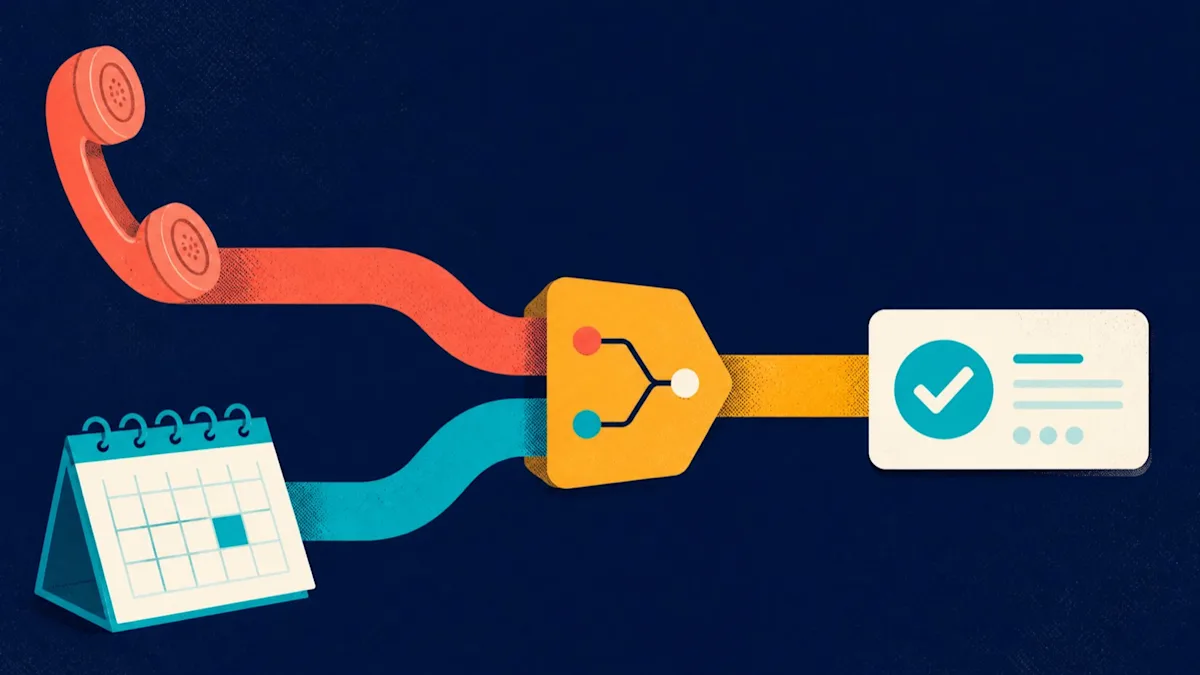
In short: Choose a hybrid rather than online or phone booking alone. Let clients self-book predictable, approved appointments, and route clinical questions, unusual requests and high-judgment situations to a trained person. Decide the channel service by service, make every entry point reach the same approved route, and pilot one service before moving away from phone-only scheduling.
For most med spas, the right choice is not online booking or phone booking. It is a hybrid model: let clients self-book predictable, approved appointments while routing clinical questions, unusual requests, and high-judgment situations to a trained person.
Online booking can remove the need to wait for office hours or a callback. Phone booking can clarify uncertainty and protect an appointment from a bad fit. The operating decision is which channel should own each service, client state, and exception—and how to move from manual scheduling without creating duplicate calendars, unclear policies, or unsafe shortcuts.
What online booking should and should not do
Online booking should complete a defined administrative transaction. It can present an approved service or consultation, available provider or location, open time, required booking details, applicable policy, configured payment or deposit, and confirmation.
It should not diagnose a condition, decide clinical eligibility, promise an outcome, or replace licensed judgment. If the clinic cannot safely define a direct-book path for a service, publish a consultation-first or staff-assisted next step instead.
That distinction matters more than a blanket rule such as “put every service online” or “always make new clients call.” A hybrid model is a routing system, not a compromise.
Compare the channels by operating job
Use online booking when the client can make a safe, informed selection from approved choices and the calendar can honor the result. Use staff assistance when the situation needs clarification, exception handling, or a judgment that should not be delegated to a form.
Online booking is strongest for predictable transactions
Good candidates often share these characteristics:
The clinic has approved the service or consultation for self-booking.
The client can understand the next step without diagnosis or individualized treatment advice.
Duration, provider, room, equipment, and location rules are defined.
Required information can be collected appropriately at booking.
The policy and any deposit can be explained before confirmation.
A valid time can be reserved without staff reconciling another calendar.
Online does not have to mean direct treatment booking. A new client may be able to self-book an initial consultation even when treatment requires later clinical review.
Phone or staff-assisted booking is strongest for exceptions
Use a staff-assisted path when the client has an urgent or ambiguous concern, requests a complex combination, needs an accommodation, cannot find a suitable time, has a policy exception, or must provide information that does not belong in a general booking form.
The channel must still be usable. Publish hours, an expected response path the clinic can actually meet, and an alternative when the office is closed. Do not leave “call us” as a dead end.
A hybrid route gives the team an escalation path
The hybrid model defines three outcomes:
Direct online booking for a predictable approved appointment.
Consultation-first online booking when the correct next step is clear but treatment is not.
Staff-assisted booking when a person must clarify, accommodate, or decide the administrative route.
The clinic—not the booking tool—owns the criteria.
Choose the channel service by service
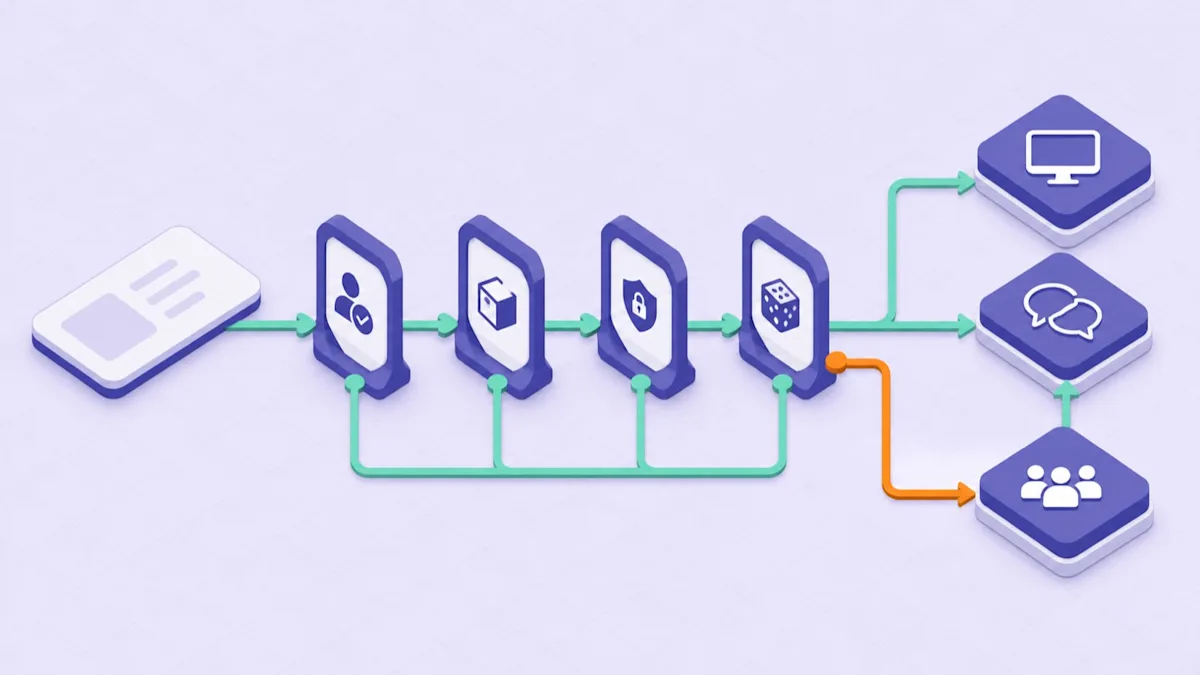
Route each service according to eligibility, dependency, information, and exception risk.
Create one row for every bookable service and consultation. Assign an operational owner and answer four questions.
Is eligibility already known?
If no individualized decision is required to choose the next step, the appointment may be suitable for direct booking. If suitability must be established first, offer an approved consultation or staff route.
Avoid collecting extensive clinical histories simply to avoid a conversation. Decide what information is necessary for booking and what belongs in the clinic's approved intake and clinical workflow.
Does the appointment have hidden dependencies?
Map provider qualifications, room or device requirements, duration, location, buffers, and availability. A time slot is not truly available if a required resource cannot support it.
The guide to med spa scheduling mistakes owns the back-end capacity rules. This article uses those rules only to decide whether a channel can reliably confirm the appointment.
Will the form request sensitive or confusing detail?
Collect the minimum information needed to create and route the booking. Have privacy, security, compliance, and clinical owners decide where sensitive information belongs and how it is protected.
For U.S. covered entities and business associates, HHS says appointment reminders are part of treatment under the HIPAA Privacy Rule, while its patient-messaging guidance calls for reasonable safeguards and limited disclosure. That does not make every scheduling workflow compliant by default.
Is an exception likely?
If pricing, timing, provider selection, accommodations, policy handling, or service combinations frequently require a person, make the handoff explicit. A form with an unmonitored free-text box is not an escalation system.
Record the final route, owner, and reason. Review the matrix whenever the service menu, staffing model, location, equipment, policy, or clinical process changes.
Make every entry point reach the same approved route
Clients may enter from a service page, Google Business Profile, social profile, email, advertisement, or direct booking link. Each high-intent entry point should lead to a dedicated page that can complete the promised action or explain the next step.
Google's Business Profile link policies say action links should lead to a dedicated business page where the user can complete the action, and the page must be crawlable and return a successful status. Google also allows businesses to add their own booking link, but says performance data is not available for custom links. Therefore, keep your own tagged link and booking records if source measurement matters.
Test each published link as a new visitor on mobile and desktop. Confirm the service, location, and route match the context that produced the click.
Plan the move from phone-only scheduling
Do not migrate the entire service menu at once. Start with a small, reversible scope.
Phase 1: map the manual truth
Document what staff actually do when a person calls: questions asked, eligibility boundaries, service and provider rules, durations, buffers, locations, policies, payment steps, confirmations, exceptions, and escalation owners.
Separate legitimate judgment from work that exists only because information is scattered. The first belongs in a human route; the second may be simplified before automation.
Phase 2: choose one controlled pilot
Select a high-intent appointment with stable rules—often an approved consultation or a clearly defined returning-client service. Limit providers, locations, or hours if needed while the team validates the process.
Define success and failure before launch. Success is not simply “someone clicked Book.” It is a valid appointment appearing once in the right calendar with the expected client, service, provider, location, payment status, policy record, and confirmation.
Phase 3: configure the shared source of truth
Decide which calendar controls availability and how staff-created and client-created appointments coexist. Prevent manual shadow calendars and duplicate openings. Establish who owns service changes, provider hours, time off, resource dependencies, policy text, and payment rules.
The Workee online-booking setup guide owns the step-by-step Workee implementation. The queued med spa booking-flow audit owns service-to-confirmation conversion after the route is chosen.
Phase 4: train staff on the new handoff
Online booking changes phone work; it does not eliminate it. Staff need to know how to find a booking, correct an approved mistake, handle a failed payment or unavailable time, move a person into the staff route, document the outcome, and avoid creating a duplicate appointment.
Give the team one escalation guide and test it before telling clients the new route is live.
Run a migration acceptance test
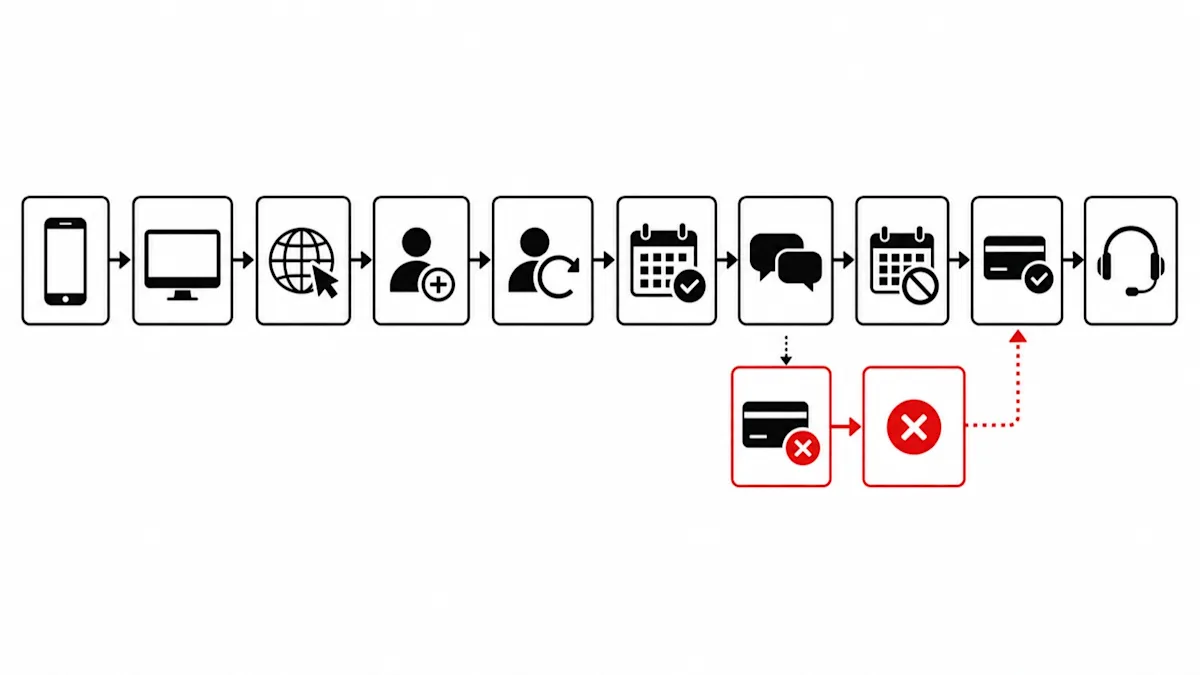
Test the routes that fail as carefully as the route that reaches confirmation.
Test with non-production or approved test data whenever possible. Cover the happy path and the failure path.
Test the client experience
Open every entry link on a phone and desktop.
Book as a new and returning client where those paths differ.
Test direct-book, consultation-first, and staff-assisted routes.
Confirm labels, time zones, policies, payment information, errors, and recovery instructions.
Navigate with a keyboard and check readable labels, focus, and error identification.
The U.S. Department of Justice's web-accessibility guidance says businesses open to the public, including medical offices, have obligations under the ADA and should make web content accessible. Accessibility review should cover the booking vendor and embedded experience, not only the marketing page.
Test calendar and operations behavior
Confirm the appointment appears once in the expected calendar.
Verify provider, location, duration, buffer, and resource rules.
Block time and confirm it disappears from the public route.
Change or cancel an approved test booking and verify every system agrees.
Simulate no availability and confirm the visitor receives a useful alternative.
Test payment and communication states
Complete and fail a configured payment or deposit.
Confirm the booking status is unmistakable in both cases.
Verify the confirmation contains the approved details and next action.
Check that message content does not disclose unnecessary sensitive information.
Confirm staff can see and resolve the exception without asking the client to start over.
Do not expand the pilot until owners sign off on clinical routing, privacy, accessibility, policy, payment, calendar, and staff-handoff results.
Measure the channel decision
Compare channels using shared definitions. At minimum, track:
Booking starts and confirmed appointments by source and route.
Abandonment or handoff at each stage.
Staff-assisted contacts and their reasons.
Invalid, duplicate, or manually corrected appointments.
Time from first contact to confirmed appointment.
Payment failures and unresolved exceptions.
Reschedules, cancellations, and no-shows by route, interpreted carefully.
Do not claim that online booking caused a revenue or no-show change without accounting for service mix, source, season, pricing, staffing, policy, and measurement changes. The goal is a route the clinic can operate safely and reliably.
Where Workee fits
Workee's booking and scheduling capabilities include a branded, no-login online booking and rebooking funnel; booking for services, packages, and memberships; provider availability controls; SMS, email, and WhatsApp reminders; built-in payments and configurable deposits; and client interaction, visit, and booking history.
Those capabilities can support the predictable part of a hybrid model. The clinic still defines clinical routing, approved services, sensitive-data handling, policies, staff escalation, and compliance requirements. For vendor comparison, use the medical spa software guide. For policy design, use the med spa cancellation-policy guide.
If you want to evaluate the workflow itself, review Workee's medical spa software. Automate the predictable path and keep people available for judgment.



Keep updated about latest industry insights and subscribe to our newsletter
Follow Us


