
Send consent forms automatically on a first booking
A new filler client should sign your consent before they sit in the chair, not in the waiting room. Workee emails your form link the moment they first book.
Get a Demo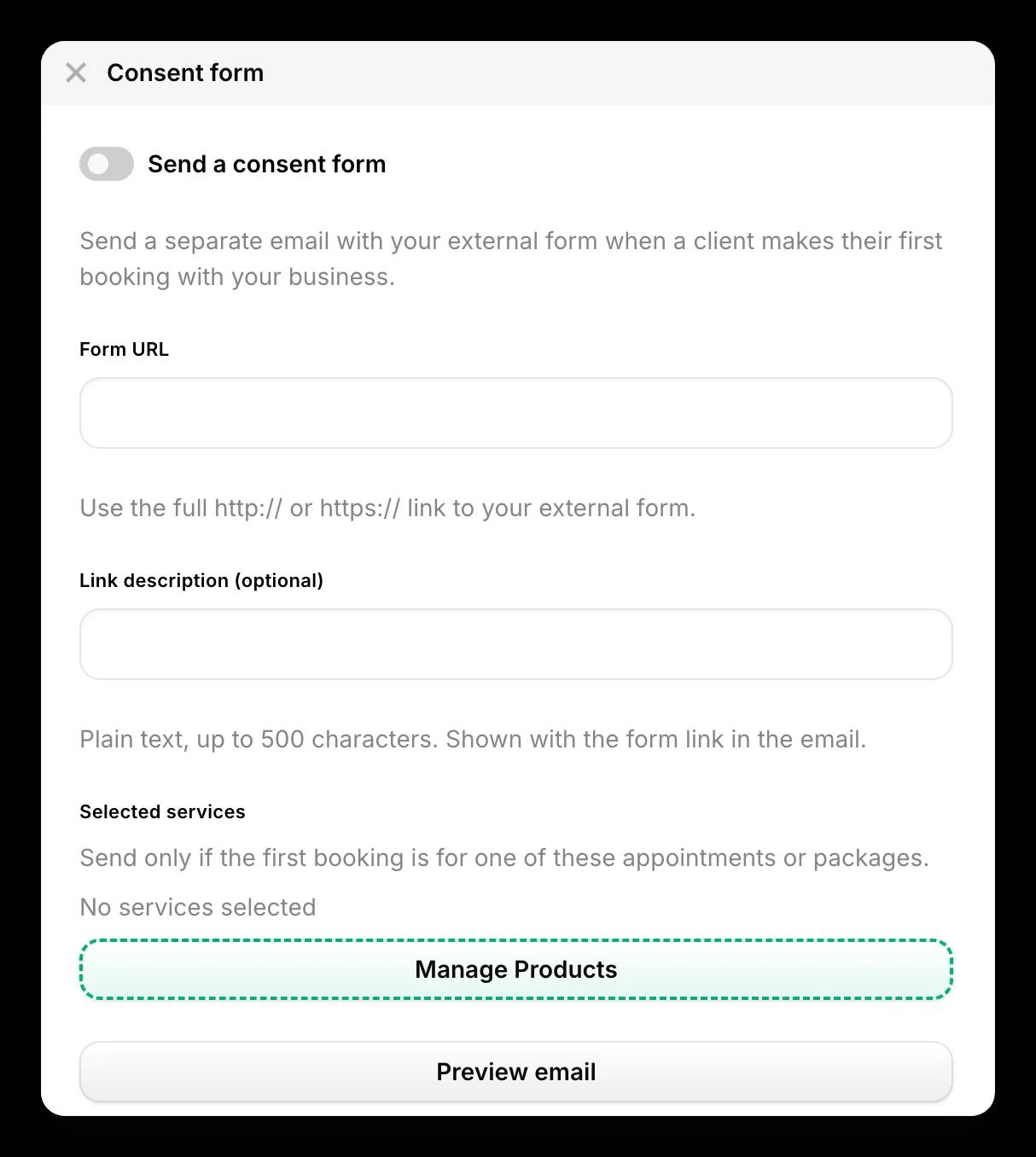
In short: To send consent forms automatically in Workee, turn on Send a consent form, paste the full link to your existing form, add an optional note, and choose the services it applies to. When a client makes their first booking for one of those services, Workee sends them a separate email with the link. The form and its answers stay in your own form tool.
Updated
Before you start

A form you already use
Workee sends a link to your form; it does not host the form. Have the full https:// address ready.

The treatments that need it
Decide which appointments and packages need consent, for example injectables, laser and chemical peels.

A line of instructions
Optional, but helpful: when to fill the form in, and what happens if it is not done before the visit.
Step by step in Workee
In this guide
- Step 1
Turn on Send a consent form
Open the consent form settings in Workee and switch on Send a consent form.
 Step 2
Paste your form link
Paste the full http:// or https:// link to your external form into Form URL.
- Step 3
Add a short description
Optionally add plain text, up to 500 characters, shown with the link in the email, such as “Please complete this at least 24 hours before your appointment.”
 Step 4
Choose the services
Under Selected services, choose the appointments and packages that need the form. It is sent only when the client’s first booking is for one of them.
 Step 5
Preview and save
Use Preview email to see what the client receives, then save. You can check each client’s consent form status from their profile.
What it looks like in Workee
The email your client gets
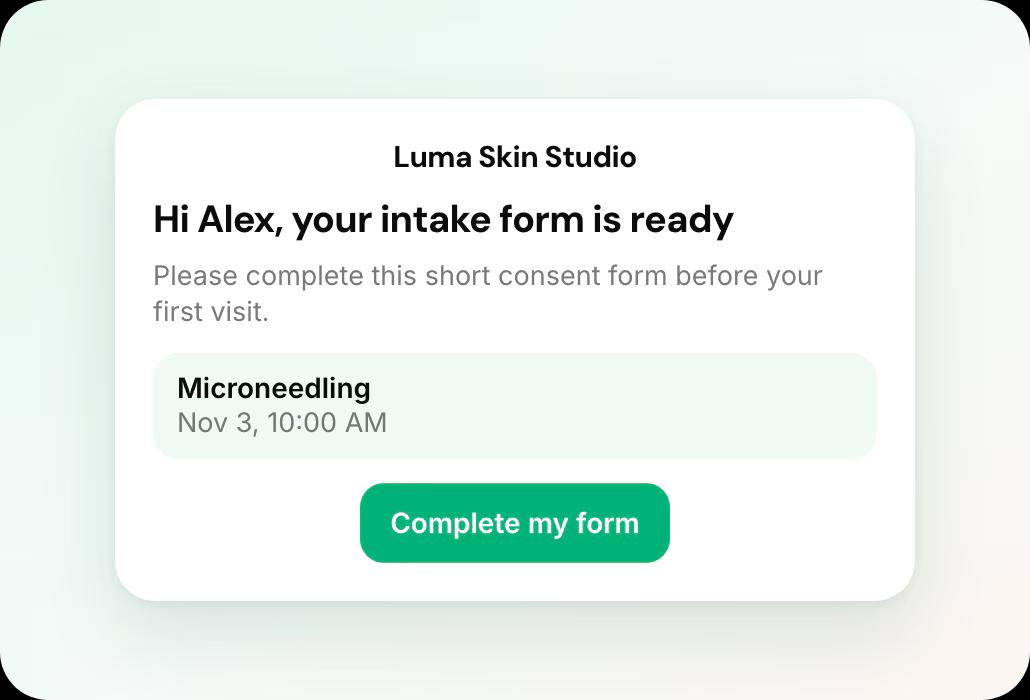
The email names the appointment and links to your form. Preview email shows you what the client receives.
 Sent on a first booking for the services you choose
- Your own short description with the link
Related guides and pages
HIPAA-compliant online booking
What to collect at booking and what to keep elsewhere.
Appointment reminders by SMS and WhatsApp
Confirm and remind every booking automatically.
Client records and consent forms
History, consent status and marketing consent per client.
Online booking and scheduling
Services, providers, locations and reminders.
Workee for med spas
Booking, deposits and follow-up built for med spas.
Workee vs each platform
Side-by-side comparisons with every price cited.
Common questions
- Does Workee host my consent forms?
 No. Workee emails a link to the form you already use, and the answers stay in that form tool.
- When is the consent form sent?In a separate email when a client makes their first booking with you, if that booking is for one of the services you selected.
- Do returning clients get the form again?No. It is sent on a client’s first booking with your business.
- Can I see who has completed the form?Each client profile shows their consent form status, so you can check before the visit.

