

Med Spa Lead Form Template: What to Ask and What Happens Next

Short answer: A med spa lead form should capture enough information to route an inquiry without pretending to be a clinical intake form. Ask for contact details, preferred contact method, service interest, location when relevant, and one short question. Then send each submission to one owner and one of three next steps: book, staff review, or consented follow-up.
Do not judge the form by submission count alone. Measure how many submissions are reachable, appropriate for the clinic, scheduled, and eventually completed. A shorter form can create more leads but more unqualified work; a longer form can suppress useful inquiries. The right form collects only what the team will use.
Workee's September 2026 product update introduced Lead Forms that can be shared through a direct link or added to a website. Each completed form creates a lead for the team to review and follow up with. The feature solves the collection problem. This guide supplies the operating decisions around the form.
This is operational guidance, not legal, privacy, or clinical advice. A clinic should have qualified counsel and its privacy or compliance lead review its fields, notices, tracking technologies, consent language, storage, access, and follow-up channels.
When should a med spa use a lead form instead of a booking button?
Use a booking button when the visitor knows the service, understands the price and duration, and is ready to choose a time. Use a lead form when a reasonable next step requires a conversation first.
A lead form can help when the visitor:
is choosing between services;
wants to ask whether the clinic offers a particular option;
needs a consultation before scheduling;
is interested in a package, membership, or new service;
cannot find an appropriate appointment type;
has a general question that staff can answer without collecting clinical detail; or
arrives from a campaign whose next step is an inquiry rather than immediate booking.
Do not replace every booking button with a form. That adds work for visitors who are ready now. A practical med spa website gives people two clear paths: Book an appointment and Ask a question or request a consultation. Workee's med spa booking-flow guide covers the ready-to-book path.
Use the minimum-field med spa lead form template
The template below is a starting point. Remove any field the team will not use, and add a field only when it changes routing or the next conversation.
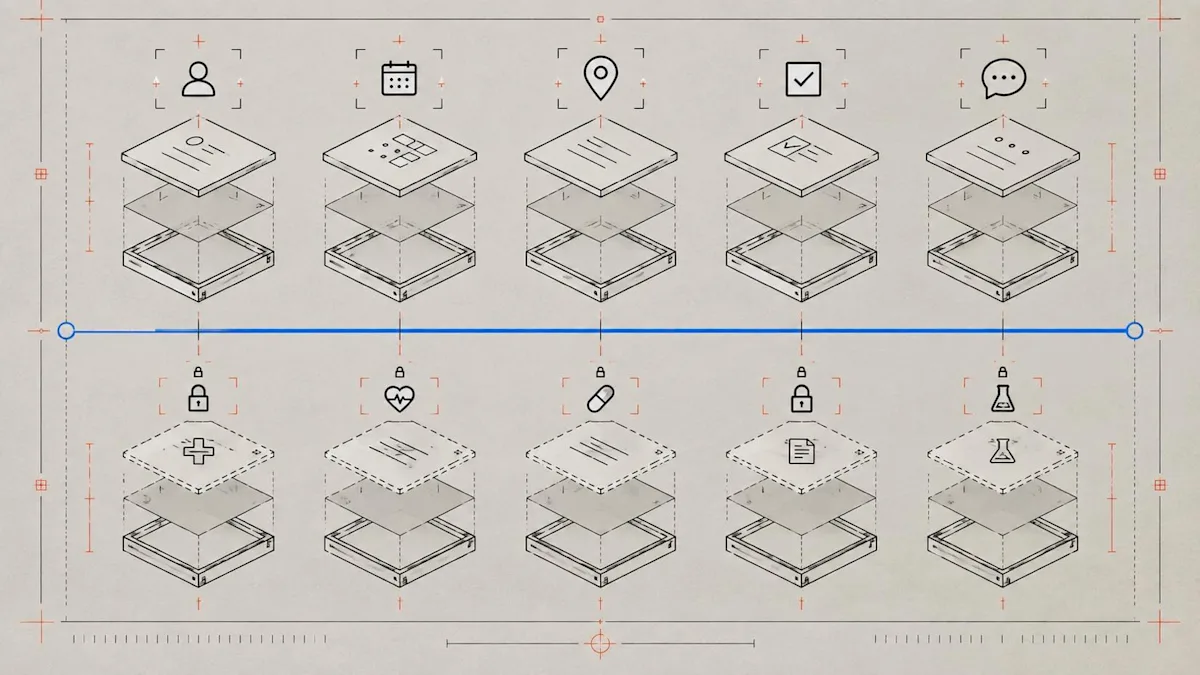
Collect enough to route the inquiry; move sensitive clinical intake to the appropriate later workflow.
1. Name
Ask for the name staff need to use in the first response. Avoid collecting identity details that are unnecessary at the inquiry stage.
2. Email address
Use email for the requested response and, when separately permitted, for follow-up. Do not treat an inquiry as automatic permission for unrelated promotional email. The FTC's CAN-SPAM compliance guide explains requirements for commercial email, including accurate headers, non-deceptive subjects, a postal address, and a working opt-out method.
3. Mobile number
Ask only if the clinic genuinely uses phone or SMS for inquiry response. Keep the description of how the number will be used next to the field, and have counsel approve any marketing consent language. FCC rules and orders address consent and reasonable revocation methods for covered calls and texts; a clinic should not improvise that language from a generic template.
4. Preferred contact method
Offer only channels the team monitors. A simple choice—call, text, or email—reduces back-and-forth and gives staff a usable preference. It does not replace any consent required for a particular kind of message.
5. Service or consultation interest
Use a short, maintained list that matches the clinic's current menu. Include “Not sure” when the visitor may need help choosing. Avoid promising eligibility or results in the option labels.
6. Location
For a multi-location clinic, ask which location is practical before routing the lead. A single-location practice can omit this field.
7. One short question
Label the field narrowly: “What would you like our team to help with?” Add a visible instruction not to submit emergency information, detailed medical history, identification numbers, payment-card details, or photographs through a general inquiry form.
Optional: preferred consultation timing
Offer broad choices such as weekday morning, weekday afternoon, or “Send me the booking link.” Do not ask for a precise appointment time unless the response connects to real availability.
Keep the lead form separate from clinical intake
A marketing or consultation inquiry form is not automatically the right place for symptoms, diagnoses, medications, contraindications, treatment photos, or detailed medical history. Those fields can change the sensitivity and compliance obligations of the workflow.
HHS guidance on online tracking technologies explains that HIPAA-regulated entities must assess whether website technologies transmit protected health information and take steps consistent with the HIPAA Rules. The analysis depends on the entity, page, information, vendor relationships, and purpose. A privacy banner alone is not a substitute for the required permissions or agreements.
Practical operating rules include:
collect the minimum needed for first-contact routing;
avoid asking for treatment photos in a general lead form;
limit access to staff who need the submission;
document which vendors receive form or tracking data;
define when information moves into the clinic's approved intake process;
train staff not to diagnose or promise eligibility in the first marketing response; and
provide an emergency instruction appropriate to the clinic rather than monitoring a marketing form as an urgent-care channel.
Put the form where visitor intent changes
One universal pop-up is rarely the best answer. Match placement to the question the page creates.
Service pages
Place a consultation option after the page explains who the service is for, what the appointment involves, and what the next step is. A visitor who still has a question should not have to search the footer.
Pricing, packages, and membership pages
Use a form for questions that staff must clarify, but keep a direct purchase or booking path when the offer is available without consultation.
Campaign landing pages
Match the headline, service-interest value, and confirmation message to the campaign. Do not make the visitor re-enter information the campaign already established.
Exit or delayed prompts
Use them selectively. A prompt that interrupts every visitor immediately can obscure the page before the visitor knows what the clinic offers. Trigger and frequency decisions should be tested against completed inquiries and bookings, not impressions alone.
The broader website booking guide covers navigation, trust, service pages, and calls to action beyond the form itself.
Route every submission to one owner and one next step
A submission without an owner is not a lead workflow; it is a delayed email.

Assign one owner, choose one path, and stop a lead from sitting in an unmonitored inbox.
Create three routing outcomes:
Book
Use this when the inquiry matches a current service and the person is ready for the next appointment type. Send the exact consultation or service booking link, not a generic homepage.
Staff review
Use this when the message includes a clinical, pricing-exception, refund, complaint, accessibility, privacy, or unusual scheduling question. Assign it to the employee qualified to respond. Automation can acknowledge receipt without attempting the substantive answer.
Nurture
Use this when the person is interested but not ready. Record the service interest and follow up only through a channel and purpose the clinic is permitted to use. The SMS and email campaign guide owns campaign planning after consent and segmentation decisions are complete.
For every path, define:
the owner;
the backup owner;
the business hours covered;
the first response type;
the stop condition;
the escalation reason; and
the status recorded after contact.
Do not publish an aggressive response-time promise unless staffing can meet it. Internally, measure response time from submission to meaningful human or automated action and compare it with booking outcomes.
Write a useful confirmation message
The confirmation page should answer four questions:
Did the submission work?
Who will respond?
Through which channel?
What should the visitor do next?
Example:
Thanks—your question has been sent to the [Clinic name] team. We will respond through your selected contact method during our posted business hours. Please do not use this form for emergencies or send additional medical or payment information. If you are ready to schedule, choose a consultation here: [booking link].
Adapt that language to the clinic's actual process and approved notices. Do not promise a response deadline the team has not staffed.
Use a first-response script that advances the decision
A good first response identifies the clinic, acknowledges the stated interest, asks only the next necessary question, and provides one action.
Hi [First name], this is [Name] from [Clinic]. Thanks for asking about [service/consultation]. Based on your message, the next step is [book a consultation / speak with our coordinator / clarify one detail]. You can [action] here: [link]. Please do not send medical or payment information by text or email; our team will explain the appropriate next step if that is needed.
Avoid sending a large menu, several links, and a promotion in the same first reply. The objective is not to close every possible sale in one message. It is to move the inquiry to the correct next decision.
Measure the form from inquiry to completed visit
Track a small funnel by form and placement:
form views;
submissions;
reachable leads;
qualified inquiries under the clinic's definition;
consultations booked;
consultations completed;
first paid visits completed; and
median response time.
Add reason codes for leads that do not advance, such as wrong location, unsupported service, duplicate, unreachable, not ready, price mismatch, or privacy/clinical escalation. Review a sample of “unqualified” leads before changing the form; the issue may be page copy or routing rather than lead quality.
Use conversion rates with counts. A form with two bookings from three submissions may have a high rate but too little evidence for a major decision. Compare equivalent periods and note campaign or staffing changes.
A 30-minute implementation checklist
Before launch:
choose the pages and visitor intents the form will serve;
remove fields that do not change routing;
add a short sensitive-information warning;
have privacy, tracking, and consent language reviewed;
assign the primary and backup owner;
create Book, Staff review, and Nurture outcomes;
link the correct booking destination;
test the form on desktop and mobile;
submit a test lead and verify its destination;
test confirmation and first-response messages;
confirm opt-out and escalation handling; and
define the funnel metrics and review owner.
How Workee supports the workflow
Workee Lead Forms can collect contact details, service interests, consultations, and general inquiries from a website or direct link. Each completed form creates a lead the team can review and follow up with. A qualified prospect can then receive the relevant Workee booking path, while consented audiences can be handled through the appropriate campaign workflow.
That connection matters because lead capture, scheduling, payments, and follow-up otherwise live in separate tools. Workee's clinic platform is designed to connect those steps. The clinic still owns its fields, legal review, response rules, staff training, and measurement decisions.
The decision rule
Do not launch a lead form merely because the website can display one. Launch it when the clinic can name the visitor job, the minimum fields, the owner, the next action, the sensitive-data boundary, and the metric that will determine whether the form helps.
The form earns its place when more qualified inquiries reach a clear next step and the clinic can explain why.
Ready to build the workflow? See how Workee connects lead capture, booking, payments, and follow-up for medical spas, or schedule a demo with the Workee team.



Keep updated about latest industry insights and subscribe to our newsletter
Follow Us


