

How to turn one photo into a post, a Story and a Reel
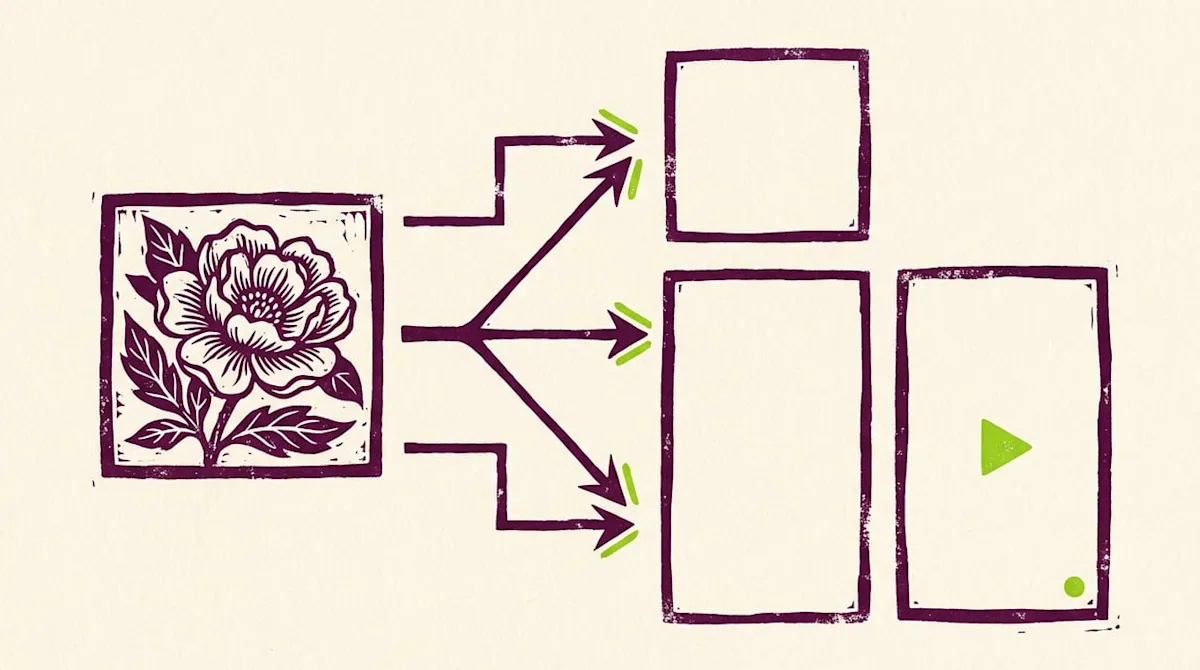
In short: Turn one good photo into a feed post, a Story and a Reel by cropping it for each format, changing the text for each place and adding a little motion for the Reel. Use Meta's published format specs, such as a 9:16 aspect ratio for Stories, so images do not get cut off. Space the three versions out over a few days so each one feels fresh.
You can repurpose Instagram content by turning one good photo into three things: a feed post, a Story and a Reel. The trick is to crop the photo for each format, change the text for each place, and add a little motion for the Reel. Once you have done it a few times, it goes quickly.
This guide shows you how to do it by hand, step by step. It uses the format specs Meta publishes for Instagram, so your images do not get cropped in strange ways. At the end, you will see how Jenny will do this for you.
Why bother? Because one good photo is hard to get. A clean shot of your treatment room, your team or a product took effort. Using it once is a waste. Used three ways, it reaches people in the feed, in Stories and in Reels.
Know the formats first
Each format has a different shape. Meta lists these specs in its Instagram publishing reference for developers. They are a good guide for anyone who posts.
Feed photo: the aspect ratio must be between 4:5 (portrait) and 1.91:1 (landscape). Portrait at 4:5 is the tallest shape in that range, so it fills the most screen.
Story: Meta recommends 9:16, a tall full-screen shape, to avoid cropping or blank space.
Reel: Meta also recommends 9:16 for Reels.
Carousel: Meta's content publishing guide says a carousel can hold up to 20 images or videos. It also notes that carousel images are cropped based on the first image.
Instagram can change these rules. Always check the preview in the app before you post.
Step 1: Pick the right photo
Not every photo works in all three formats. Look for these things:
A clear subject in the middle. You will crop the edges for the Story and Reel, so the main thing should sit near the center.
Some empty space. A plain wall or soft background gives you room for text.
Good light. Daylight from a window is often enough.
No faces without consent. If a client is in the photo, get their written okay first. Never use a before and after photo without written consent.
Photos of your studio, products, tools on a tray, your front desk or your team (with their okay) all work well.
Step 2: Make the feed post
Start with the feed, because it stays on your profile the longest.
Open the photo in your phone's editor or a free design app.
Crop it to 4:5 portrait. On a phone, pick the 4:5 option in the crop tool.
Fix the light if needed. Small changes look more natural.
Write a caption with a clear first line, two or three short sentences and one next step.
Example caption: "Your calm corner for the afternoon. Every room is cleaned and reset between clients. Book your visit with the link in our bio."
Step 3: Make the Story
Stories are quick and casual. People tap through them fast, so keep it simple.
Open the original photo again, not the cropped one.
Crop it to 9:16. If the photo is too wide, place it on a solid color background that matches your brand.
Add one short line of text, big and easy to read. Keep it away from the very top and bottom, where the app shows its own buttons.
Add a sticker if it fits. A poll or a question box invites people to reply.
If you want people to book and the app offers a link sticker, add your booking link.
Example Story text: "New week, open spots. Tap to book."
Step 4: Make the Reel
A Reel is a short video. You can make one from a single photo with a little motion.
Open the Reels camera in Instagram and pick your photo from the gallery.
Set it to show for a few seconds. Add a slow zoom if your app offers it.
Add a text overlay with one tip or one question. For example: "3 things to bring to your first visit."
Add more photos if you have them. Two or three photos in a row make a nice short Reel.
Add music from the app if you like, or record a soft voiceover.
Pick a cover image that looks good in your profile grid.
Example Reel caption: "Three things to bring to your first visit: your ID, a list of products you use, and your questions. See you soon."
Step 5: Space them out
Do not post all three in the same hour. Spread them out so each one gets its own moment. A simple pattern:
Monday: feed post
Wednesday: Reel
Friday: Story
Your followers may see the photo three times, but in three new ways. That is the whole point.
Mistakes to avoid
Stretching the photo. Always crop, never stretch.
Putting text at the edges. The app may cover it with buttons or crop it.
Same caption everywhere. Change the words for each format. A Story needs fewer words than a feed post.
Posting faces without permission. Get written consent from anyone in the photo.
Promising results. Keep captions about your space, your team and the visit, not about treatment results.
How Jenny will help
Doing this by hand works, but it takes time every week. Workee is launching Jenny for Instagram in early November 2026, and this is one of the jobs she will take off your list.
You drop photos into a Google Drive folder you choose. Workee only reads that folder. Jenny then makes a feed post, a Story and a Reel from each photo and writes the captions in your style. She learns that style from your last 30 posts. Stories have no caption. A few Instagram limits still apply: auto-posted Stories cannot have link stickers, and auto-posted Reels cannot use Instagram music. You approve by text, or turn on Autopilot. You can stop anytime.
Jenny will also answer the DMs those posts bring in. Read how Instagram DM automation works.
FAQ
What size should a photo be for an Instagram Story?
Meta recommends a 9:16 aspect ratio for Stories. That is a tall, full-screen shape. If your photo is wider, place it on a solid background so nothing important is cut off.
Can I use the same caption for a post and a Reel?
You can, but it works better to change it. A Reel caption can be shorter because the text on screen does part of the work. A feed caption can share a little more detail.
Is it okay to use the same photo more than once?
Yes. Using one photo as a post, a Story and a Reel is normal. Space them out over a few days and change the text each time, so it feels fresh.
One photo can do three jobs. If you want those jobs done for you each week, see Instagram posting with Workee.



Keep updated about latest industry insights and subscribe to our newsletter
Follow Us


