

Med Spa Consultation Follow-Up Templates: 10 Scripts and a Safe Workflow
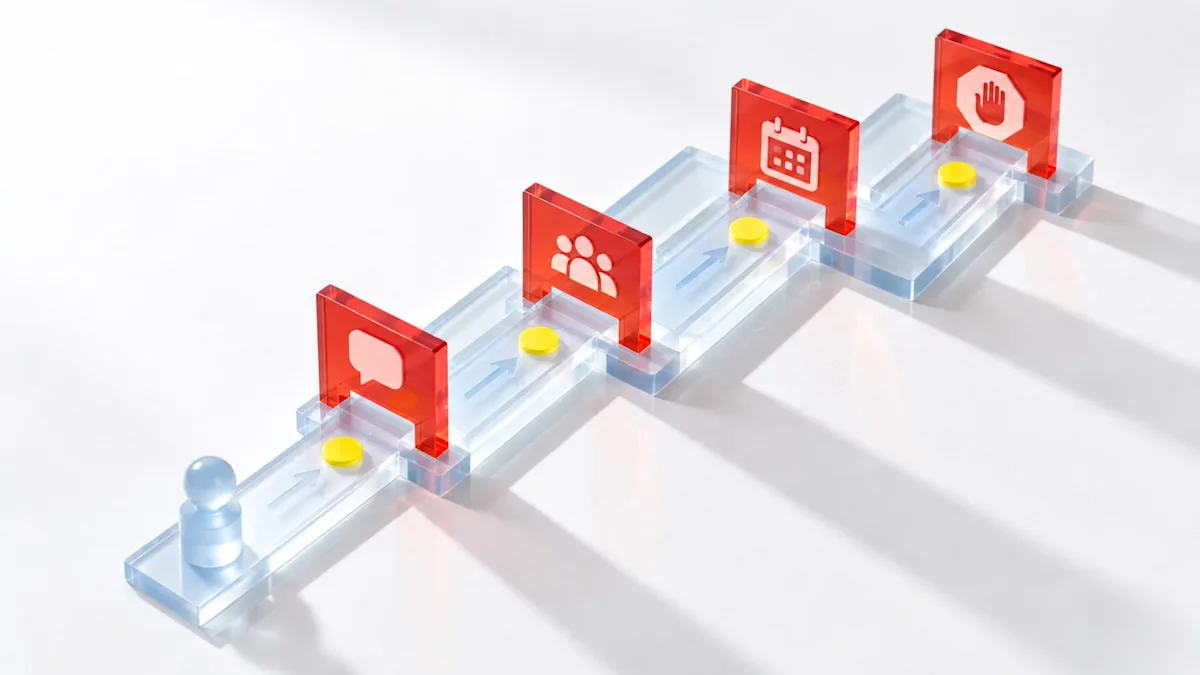
Short answer: A med spa consultation follow-up should help a prospective client take the next appropriate step without turning a clinical conversation into an automated sales chase. Record the consultation outcome, choose one message purpose, answer administrative questions, route clinical concerns to qualified staff, include a direct booking or human-contact option, and stop when consent is withdrawn or the defined sequence ends.
The ten templates below are starting points for U.S. clinics. Replace every bracketed field, use only approved claims and offers, and have counsel plus the clinic's privacy and clinical leads review consent, channel, timing, content, and recordkeeping. This is operational guidance, not legal or medical advice.
Define the post-consultation starting point
This workflow begins after a consultation—virtual or in person—has been completed and the prospective client has not booked a treatment appointment.
It does not cover:
a new website inquiry that has not reached a consultation;
appointment confirmation or pre-visit reminders;
a missed consultation or no-show;
clinical aftercare or a post-treatment concern;
routine rebooking after a completed service; or
long-term win-back marketing.
Those are different events with different data, purpose, timing, and ownership. Workee's lead-form template owns the pre-consult inquiry workflow, while the no-show message templates own missed appointments.
Classify the consultation outcome before writing
The coordinator should record what happened using neutral, useful categories. Do not infer a diagnosis, financial situation, emotion, or objection the client did not state.
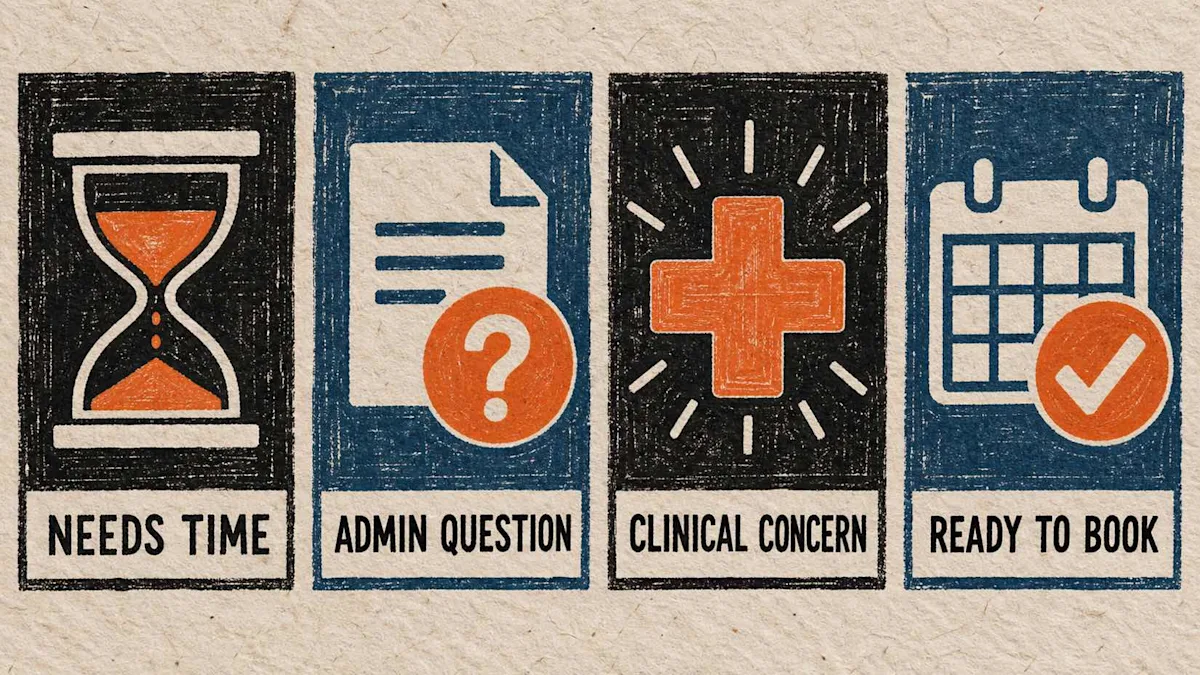
Classify the outcome first; the next message should match the client's actual decision state.
Needs time
The person understood the next step but was not ready to decide. The follow-up should recap the agreed administrative facts, give a simple route back, and avoid manufactured urgency.
Has an administrative question
The remaining issue involves approved non-clinical information such as scheduling, location, published price, payment options, or what happens next. Assign an owner and answer accurately.
Raised a clinical concern
The reply involves symptoms, suitability, risks, outcomes, medication, recovery, or a change in condition. Stop the sales sequence and route the message to the qualified person under clinic policy. Automation should not diagnose, reassure, or decide urgency.
Ready to book
The person has chosen the next approved administrative step. Send the correct booking destination or arrange staff assistance without restating clinical recommendations in an unnecessary channel.
Also record do not follow up, wrong contact, not eligible for this workflow, and consent withdrawn. These are operating states, not notes to ignore.
Separate care communication from marketing
A post-consult message can contain administrative, relationship, clinical, and promotional content. The applicable rules depend on the facts, clinic, recipient, technology, and message purpose.
The HHS HIPAA marketing guidance explains that covered entities generally need authorization for uses and disclosures of protected health information for marketing, subject to specified exceptions. The FTC's CAN-SPAM guide distinguishes commercial email from defined transactional or relationship messages and gives requirements for commercial email.
For automated calls or texts, the FCC's TCPA rules and orders can affect consent and revocation. FCC materials explain that consumers may revoke consent through reasonable means and establish requirements for honoring covered revocation requests; an FCC order delayed one part of the 2024 consent-rule implementation to April 11, 2026. Have counsel verify the current rule, your technology, consent record, and state requirements before launch.
Operationally, use a gate before every sequence:
What is the message's exact purpose?
Which channel and automation technology will be used?
What consent or other legal basis is documented for that purpose and channel?
Does the content reveal more consultation or service information than necessary?
What words or actions stop future messages?
Who receives a clinical, sensitive, angry, confused, or opt-out reply?
Use a three-touch sequence with stop conditions
There is no universal best cadence. Choose timing from the promise made during the consultation, the client's stated preference, clinic policy, channel rules, and the staff's ability to respond. The sequence below is a planning model, not an industry benchmark.
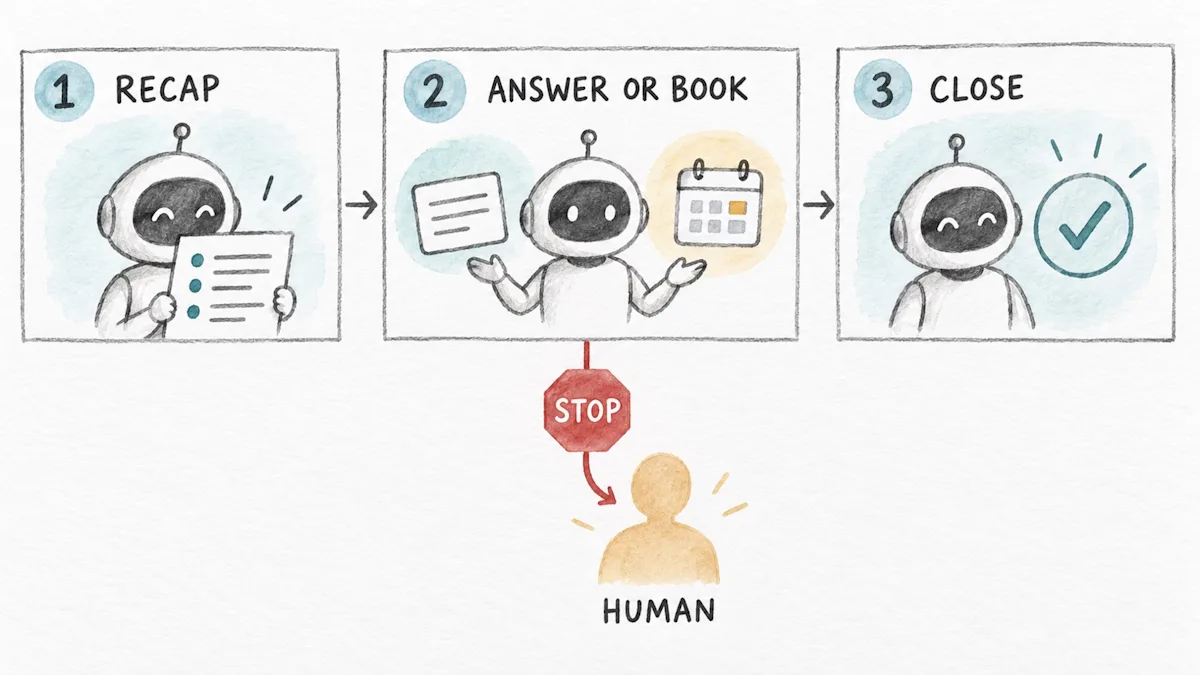
A defined close-the-loop message is better than an endless automated sequence.
Touch 1: the agreed recap
Send the administrative recap at the time the clinic promised. Confirm who is writing, why, the approved next step, and how to reach a person. Do not paste clinical notes into a marketing template.
Touch 2: answer or make booking easy
If the client has not replied and the approved sequence continues, offer one useful action: ask an administrative question, use the correct booking link, or request staff help. Avoid stacking several offers and deadlines.
Touch 3: close the loop
State that the automated sequence is ending and leave a durable contact or booking route, if permitted. Silence is a valid outcome, not permission for an endless sequence.
Stop immediately when the client opts out, requests no further contact, reports a clinical or sensitive concern, disputes the consultation record, reaches the booking outcome, or enters another workflow that would create duplicate messages.
10 med spa consultation follow-up templates
Use the shortest version that completes the approved purpose. Bracketed language must be replaced; optional language should be deleted when it does not apply.
1. Same-day administrative recap by email
Subject: Your next step with [Clinic]
Hi [First name], thank you for meeting with [Consultant name] today. As discussed, your next administrative step is [approved next step]. You can [book/request a time/contact us] here: [link or contact]. If you have a clinical question or anything has changed, please contact [qualified team/channel] rather than replying with urgent information. [Required email footer and preference link].
2. Brief text after a consultation
Hi [First name], this is [Name] from [Clinic], following up as agreed after your consultation. If you would like the next available [approved appointment type], use [link] or reply HELP for staff assistance. Reply STOP to opt out of these texts, where applicable.
Do not add a treatment name when it is unnecessary or when the channel has not been approved for that information.
3. Client asked for time to decide
Hi [First name], you mentioned wanting time to consider the next step. No action is required today. When you are ready, you can review the approved booking options at [link] or contact [person/channel] with administrative questions. We will [state the approved follow-up plan or say that this is the final message].
4. Administrative price or payment question
Hi [First name], following up on your question about [published service or appointment type]. The current published price is [amount or approved range], and the payment step is [verified rule]. This message does not change the clinic's written terms. For account-specific or clinical questions, contact [owner/channel]. Book or request a time: [link].
Do not invent a discount, financing approval, refund, insurance outcome, or exception.
5. Scheduling help
Hi [First name], I can help with scheduling the next approved appointment type. You can view current availability here: [direct link]. If none of those times work, reply with [approved information] and [staff owner] will review options by [promised response window].
6. Answer pending from a staff member
Hi [First name], we have not forgotten your question. [Staff role/name] is reviewing it and will respond through [approved channel] by [realistic time]. Please do not send urgent or sensitive medical information by this message; use [clinic's approved urgent-contact instruction].
Only promise a response window the assigned person can meet.
7. Clinical-question handoff
Hi [First name], thank you for your message. Your question needs review by [qualified role] and will not be answered by this automated sequence. We have routed it to [approved team/channel]. If you believe you need urgent medical attention, use the emergency instructions provided by your clinician or seek appropriate emergency care.
Have the clinical lead approve the actual escalation and emergency language. Do not use a generic template to decide urgency.
8. Booking link after the client says yes
Great, [First name]. Here is the direct link for the next approved appointment type: [link]. Please check the service, provider, location, price, and policy before confirming. If you prefer staff help, contact [person/channel].
The link should preserve the correct next step; do not send the client to a broad menu if that creates a new choice problem.
9. Close-the-loop email
Subject: Closing the loop on your consultation
Hi [First name], I am closing our planned follow-up sequence after your consultation. We will not send another message in this sequence. If you choose to continue later, use [durable booking or contact link]. If your question is clinical or your circumstances have changed, contact [qualified team/channel]. [Required email footer and preference link].
10. Opt-out confirmation
You have been opted out of [describe the covered messages/channel]. No further messages of that type will be sent. For an existing appointment, account, or clinical matter, contact [separate approved channel].
Keep an opt-out confirmation administrative. Do not attach another offer.
Give every reply one owner and one deadline
Templates do not fix a queue nobody watches. The clinic should record:
consultation date and administrative outcome;
message purpose, channel, and consent source;
assigned staff owner;
approved next appointment or action;
each send, delivery result, reply, and opt-out;
clinical or sensitive handoff status;
booking and completed-appointment outcome; and
the reason the sequence stopped.
Create a handoff standard. A coordinator can answer approved scheduling and published-price questions. A qualified clinical team member handles clinical questions. A manager or compliance lead handles complaints, consent disputes, wrong-contact reports, and unclear cases. The system should prevent a person from receiving both a consultation follow-up and a conflicting no-show, promotional, or win-back sequence.
Measure the workflow without inventing a benchmark
Choose definitions before reviewing results. Useful counts and rates include:
completed consultations with no same-day treatment booking;
eligible people enrolled in the approved follow-up workflow;
messages delivered, failed, replied to, and opted out of;
administrative questions resolved;
clinical or sensitive messages handed off and acknowledged under policy;
treatment appointments booked after the consultation;
booked appointments that were completed; and
median staff response time for messages that required a person.
Segment results by consultation outcome, channel, location, coordinator, and appointment type only when the clinic has a legitimate, approved reason and enough data to interpret the result responsibly. A booking is not proof that a message caused it; label attribution rules and avoid causal claims the data cannot support.
Where Workee fits in this workflow
Workee's September 2026 product update says completed Lead Forms create leads for team review and follow-up. It also documents Campaigns that can generate draft headlines, SMS/email copy, calls to action, audience suggestions, and alternatives; the clinic reviews and edits the final message, audience, and launch time before sending.
Workee's current solutions and pricing pages describe client interaction and booking history, automated follow-ups, lead re-engagement, targeted campaigns, booking destinations, and visibility into messages and results. These capabilities can support the administrative record, approved messaging, booking link, and measurement layers.
They do not replace clinic judgment. Deciding whether content is clinical or marketing, obtaining legal consent, interpreting symptoms, choosing a treatment and approving an offer stay with your team, and no tool can guarantee a booking. Configure the workflow with the clinic's counsel, privacy lead, clinical lead, and assigned staff owner.
Frequently asked questions
How soon should a med spa follow up after a consultation?
Use the timing promised during the consultation and the client's stated preference. There is no universal interval. The purpose, channel, consent, staff coverage, and whether an answer is pending should determine the schedule.
How many times should a med spa follow up?
Use a defined, approved sequence with stop conditions rather than an unlimited count. The three-touch model in this guide is an operational starting point, not a legal safe harbor or performance benchmark.
Should consultation follow-up be a text or email?
Use the channel the client selected and the clinic is authorized and equipped to use. Text can support a short administrative action; email can hold a fuller recap and required footer. Sensitive or clinical content may need a different approved channel and human handling.
What should an automated follow-up never do?
It should not diagnose, decide urgency, promise a result, invent a discount, approve financing, reveal unnecessary health information, overrule an opt-out, or continue after a clinical concern needs human review.
Make the next step—and the stop—obvious
The best consultation follow-up makes the next step clear and the stopping point just as clear. Match the script to the recorded outcome, keep automation inside administrative boundaries, route clinical concerns to qualified people, and measure completed appointments without pretending every booking was caused by one message.
To see how Workee can support approved lead, campaign, booking, and client-history workflows, book a medical-spa software demo. Bring your consultation outcome map, consent questions, staff handoff rules, and three test scenarios so the team can demonstrate the exact configuration.



Keep updated about latest industry insights and subscribe to our newsletter
Follow Us


